
Wondering how to set up a TRX wallet in 2026? Pick a trusted wallet such as TronLink, Trust Wallet, or a Ledger hardware device, create it, back up your seed phrase offline, then send a small amount of TRX to activate the address. This guide walks you through every step safely.
Key takeaways
- A TRX wallet stores, sends, and receives TRX and TRC-20 tokens (like USDT) on the TRON network.
- Software wallets (TronLink, Trust Wallet) are free and convenient; hardware wallets (Ledger) add cold-storage security.
- Your 12- or 24-word seed phrase is the master key — store it offline and never share it.
- Activating a new TRON address requires a small TRX deposit (commonly around 1 TRX; verify against a primary source).
- For frequent TRC-20 transfers, renting TRON energy through tools like TronSave or staking TRX yourself can lower fees.
What is a TRX wallet and why do you need one?
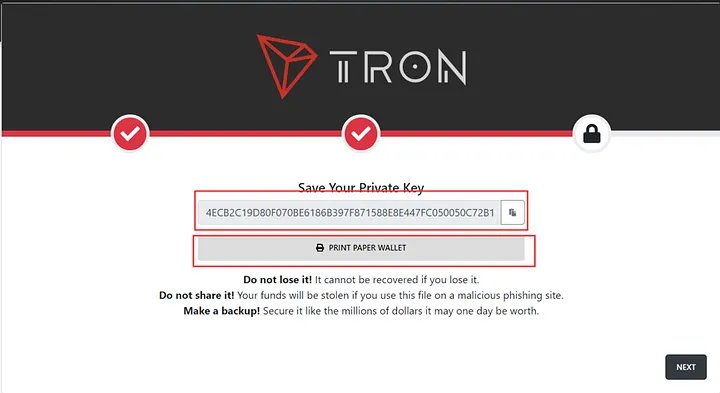
A TRX wallet is software or hardware that holds the private keys controlling your TRON (TRX) and TRC-20 tokens. It does not literally store coins — those live on-chain — but it lets you authorize transactions. Most TRON wallets are non-custodial, meaning only you hold the keys.
With a wallet you can send and receive USDT, trade on decentralized apps like SunSwap (formerly JustSwap), stake TRX for rewards, and interact with TRON’s low-cost blockchain. You can confirm any address or transaction yourself on the public explorer TronScan.
How to set up a TRX wallet step by step
Setting up a wallet takes only a few minutes. The steps below use TronLink as the example because it is TRON-native, but the same flow applies to Trust Wallet and most other options.
1. Choose a trusted TRX wallet
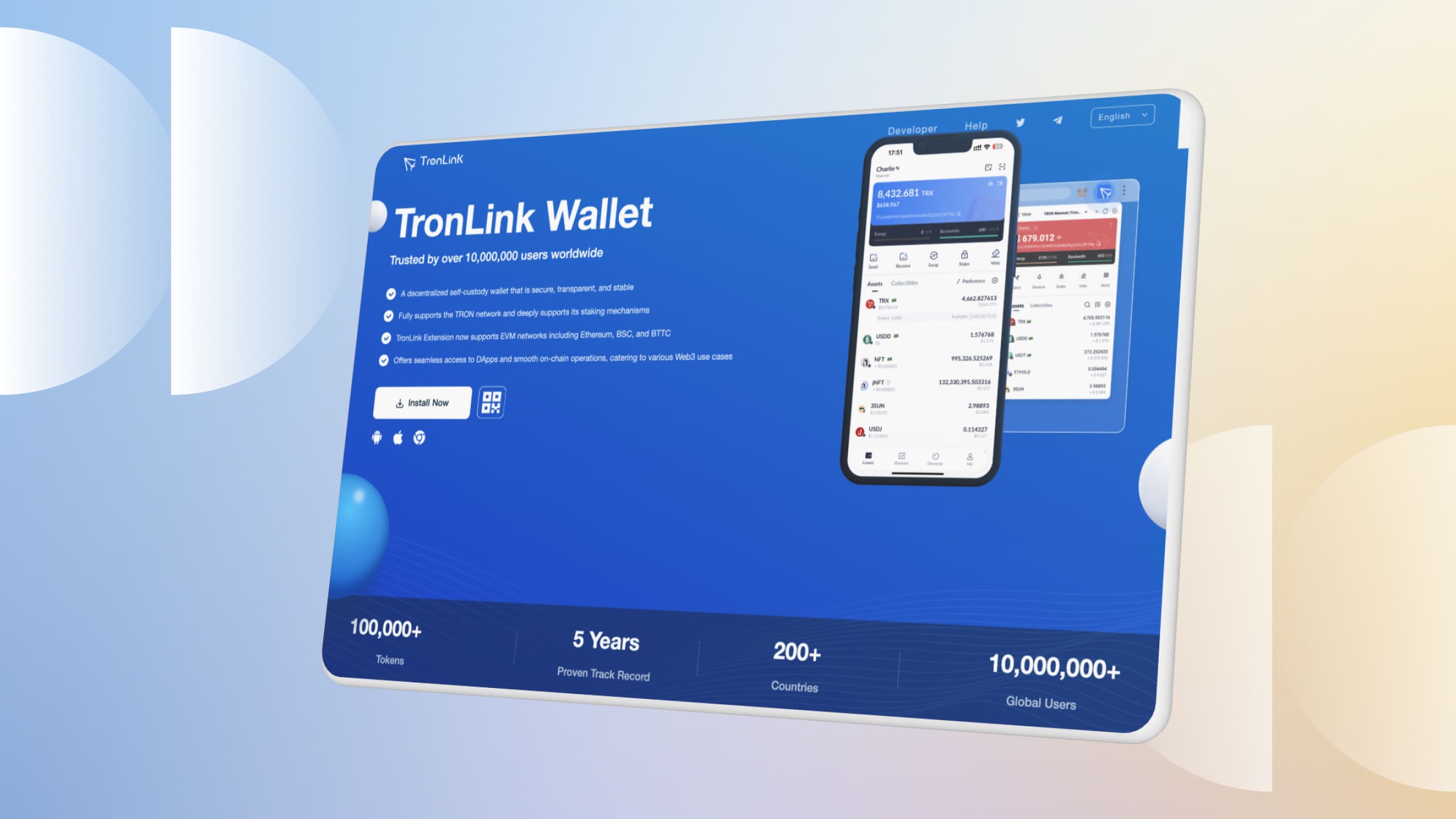
Your choice depends on what you value most: everyday convenience, dApp access, or maximum security. TronLink supports TRX and TRC-20 tokens and integrates tightly with TRON dApps. Trust Wallet is multi-chain. Ledger keeps keys offline for larger holdings.
- Mobile wallets: TronLink, Trust Wallet, Exodus
- Browser extensions: TronLink, Guarda
- Hardware wallets: Ledger, Trezor
2. Download and install the wallet
Always download from the official source — TronLink’s site at tronlink.org or an official app-store listing — and double-check the URL to avoid phishing clones.
- Use a secure home network rather than public Wi-Fi.
- Verify the developer name and reviews in the app store before installing.
- Bookmark the real site so you do not mistype it later.
3. Create your wallet and back up the seed phrase
Open the app or extension and choose “Create New Wallet.” Set a strong, unique password, then carefully record the 12- or 24-word recovery (seed) phrase. Write it on paper and store it offline, ideally in two separate safe locations.
Pro tip: never store your seed phrase digitally — no screenshots, cloud notes, or messages. Anyone with those words controls your funds. TronLink will ask you to re-enter the phrase to confirm you saved it.
4. Activate and fund your wallet
New TRON addresses need a small TRX deposit to become active on-chain (commonly around 1 TRX; verify against a primary source). Buy TRX on an exchange such as Binance or KuCoin, copy your address from the “Receive” screen, and send a small test amount first.
- Copy the full address carefully — a single wrong character sends funds elsewhere.
- Confirm the test transaction on TronScan before sending larger amounts.
How do you keep a TRX wallet secure?
A wallet is only as safe as your habits. Whether you use TronLink, Trust Wallet, or a hardware device, follow these practices to protect your TRX and TRC-20 tokens.
- Protect your seed phrase: keep it offline; it is the one secret you can never recover if lost.
- Use device security: enable a strong password, biometric lock, or 2FA where the app supports it.
- Avoid public Wi-Fi when accessing your wallet.
- Use a hardware wallet like Ledger or Trezor for larger holdings — keys stay offline and transactions are confirmed on the device.
- Keep software updated on both your wallet app and operating system.
TRX wallet comparison
| Feature | TronLink | Trust Wallet | Ledger | Exodus |
| Type | Software (TRON-native) | Software (multi-chain) | Hardware (cold storage) | Software (multi-chain) |
| Key storage | Seed on device | Seed on device | Keys offline on device | Seed on device |
| TRC-20 support | Yes | Yes | Yes | Yes |
| On-device tx confirmation | App lock / 2FA | App lock / 2FA | Physical button confirm | App lock |
| dApp integration | Yes | Yes | Limited | Yes |
Note: a hardware wallet confirms transactions physically on the device rather than via app-based 2FA, which is generally considered stronger for large holdings.
What can you do once your TRX wallet is ready?
With your wallet funded, you can explore the broader TRON ecosystem. Sending USDT is a popular first use — see our guide on how to send USDT on TRON to keep costs low.
- Use dApps: swap tokens on SunSwap and other TRON applications.
- Stake TRX: freeze TRX to earn resources and voting rewards — learn the details in how to stake TRON.
- Lower transfer fees: TRC-20 transfers consume energy. You can obtain energy by staking TRX yourself or by renting it from a marketplace such as TronSave, which can reduce per-transfer costs.
- Compare apps: explore other options in best TRX wallet apps.
FAQs about how to set up a TRX wallet
What’s the best TRX wallet for beginners?
TronLink and Trust Wallet are both beginner-friendly thanks to simple interfaces. TronLink is ideal if you mainly use TRON; Trust Wallet suits multi-chain users.
How do I recover my TRX wallet if I lose my phone?
Install the same wallet on a new device and restore using your seed phrase. This is exactly why the phrase must be backed up offline and never shared.
Can my TRX wallet hold other coins?
TronLink is TRON-native and supports TRX and TRC-20 tokens such as USDT, but not chains like Ethereum. Multi-chain wallets such as Trust Wallet or Exodus can hold assets across several networks.
How much TRX is needed to activate a wallet?
Activating a new address requires a small TRX deposit, commonly around 1 TRX (verify against a primary source, as network parameters can change). Sending a few TRX to a fresh address typically activates it.
Why are my USDT transfers charging fees, and can I reduce them?
TRC-20 transfers consume TRON energy; without enough energy, the network burns TRX to cover it. You can reduce this by staking TRX for energy or renting energy from a marketplace like TronSave. See does staking TRX provide energy or bandwidth.
Is a hardware wallet worth it for TRX?
If you hold significant value or transact often, yes — a Ledger or Trezor keeps your private keys offline and requires physical confirmation, reducing exposure to malware and phishing.
⚠️ Not financial advice. This article is for educational and informational purposes only and reflects the author’s opinion at the time of writing. It is not investment, financial, legal, or tax advice. Cryptocurrency is highly volatile and you can lose your entire principal; prices, APYs, and on-chain fees change constantly and may be out of date. Always do your own research (DYOR) and consult a licensed financial advisor before buying, selling, staking, or lending any digital asset.
Disclosure: This is the official TronSave blog. TronSave sells TRON energy/resource (fee-reduction) services and has a commercial interest in the products and topics covered here.



