
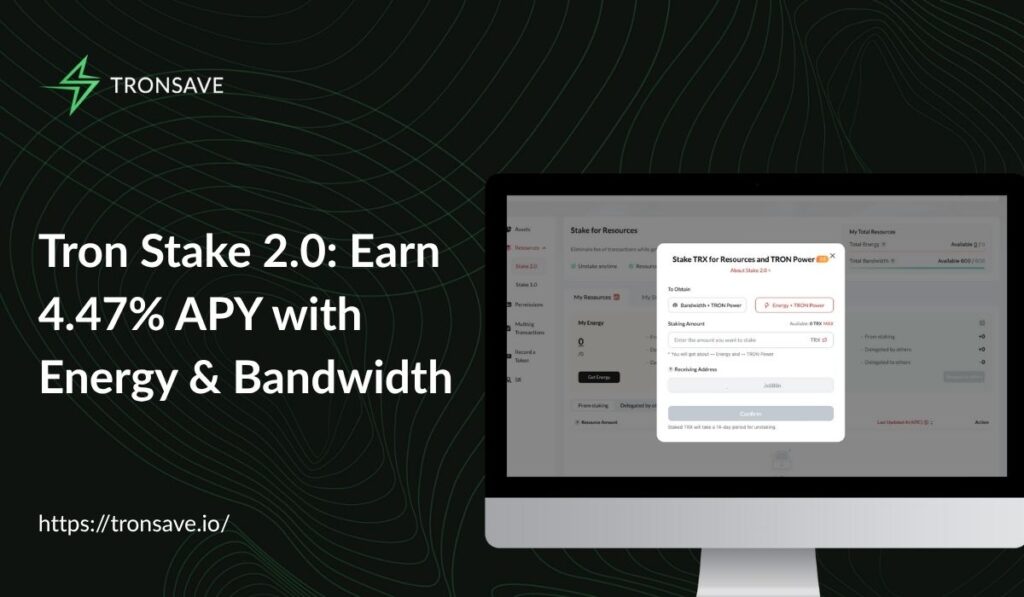
Tron Stake 2.0 is TRON’s upgraded staking system that lets you freeze TRX to earn voting rewards while separately managing Energy and Bandwidth. Base voting rewards sit near 4–5% APY (as of 2026; verify against a primary source), and partial unstaking now preserves your votes.
This guide explains how Tron Stake 2.0 works, how to stake step by step, and how to weigh staking against energy marketplaces like TronSave. All rates below are dated estimates — confirm current figures on a live source before you act.
Key takeaways
- Flexible staking: Tron Stake 2.0 separates staking from resource delegation, so you control Energy and Bandwidth without giving up your votes.
- Modest base yield: Voting rewards are roughly 4–5% APY (as of 2026; verify on TronScan or StakingRewards). Higher “energy-selling” returns are variable and not guaranteed.
- 14-day unstaking: Unfreezing TRX takes about 14 days before you can withdraw.
- More than one path: You can stake natively, use wallet-native staking, or sell energy via marketplaces like TronSave — each suits different goals.
- Not financial advice: APYs vary, TRX prices can fall, and staked TRX is locked. Do your own research.
Chasing the highest yield? See our guide to the best TRON staking rewards.
What is Tron Stake 2.0?
Tron Stake 2.0 is the staking model introduced in April 2023 through TRON Improvement Proposal (TIP) 467. It replaced the rigid Stake 1.0 design by splitting two functions that used to be bundled together: staking TRX for voting rewards, and delegating the resources (Energy and Bandwidth) that TRX unlocks. This Stake 2.0 model gives holders far more control.
In practice, this means you can freeze TRX once and then delegate, reclaim, or redirect the resulting resources without unstaking your whole position. It also integrates with the TRON Virtual Machine (TVM) so smart contracts can manage delegation programmatically. You can review the protocol details in the official TRON developer documentation.
| Feature | Stake 1.0 | Stake 2.0 |
| Unstaking period | 3-day lock | ~14-day unfreeze |
| Resource delegation | Automatic, rigid | Separate, customizable |
| Voting flexibility | Votes revoked on unstaking | Partial unstaking preserves votes |
| TVM integration | Limited | Full smart-contract support |
TRON is a high-throughput network with low or zero fees for resource-funded transactions, which is why Energy management matters so much. For a deeper primer on the underlying resources, see our guide to TRON energy and bandwidth.
How do Energy and Bandwidth work in Stake 2.0?
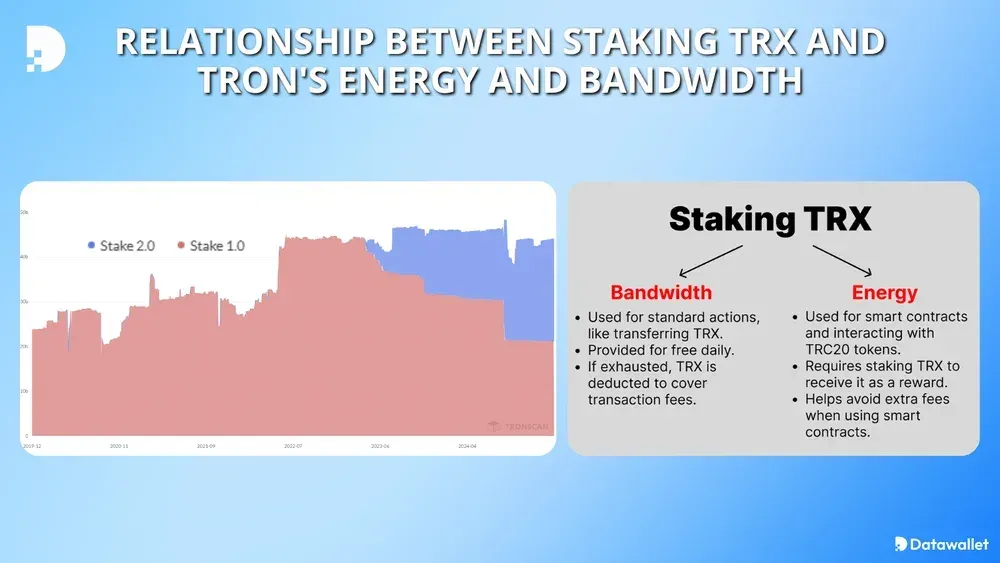
Think of TRON as a toll road: Bandwidth covers basic transactions like sending TRX or USDT, while Energy powers smart-contract operations such as DeFi swaps and token transfers on TRC-20 contracts. Each account receives a small free Bandwidth allowance daily, but a single contract interaction can consume tens of thousands of Energy points.
When you stake TRX under Stake 2.0, the network mints resources proportional to your share of total staked TRX. The general relationship is:
- Bandwidth = (your staked TRX for Bandwidth ÷ total staked for Bandwidth) × the daily Bandwidth pool.
- Energy = (your staked TRX for Energy ÷ total staked for Energy) × the daily Energy pool.
Because these pools and totals change constantly, the exact resources per TRX vary day to day. If you only need occasional Energy, renting from a marketplace can be cheaper than locking up a large stake — a trade-off we cover in does staking TRX provide energy or bandwidth.
How do you stake TRX with Tron Stake 2.0?
You can stake through several interfaces, including TronLink, TronScan, TokenPocket, and energy platforms. The flow is similar across wallets. Ledger users access Stake 2.0 through StakeKit in Ledger Live’s Discover section rather than native support (per Ledger Support).
Step-by-step staking flow
- Open your wallet’s staking tab: In TronScan, go to “Resources > Stake 2.0”; in other wallets, find the staking or “freeze” section.
- Choose a resource type: Select Energy + TRON Power (which also grants votes) or Bandwidth, depending on your needs.
- Enter the TRX amount: Stake what matches your usage — a few thousand TRX for daily transfers, more for heavy DeFi activity.
- Confirm and sign: Approve the transaction in your wallet. Resources appear once the freeze is confirmed on-chain.
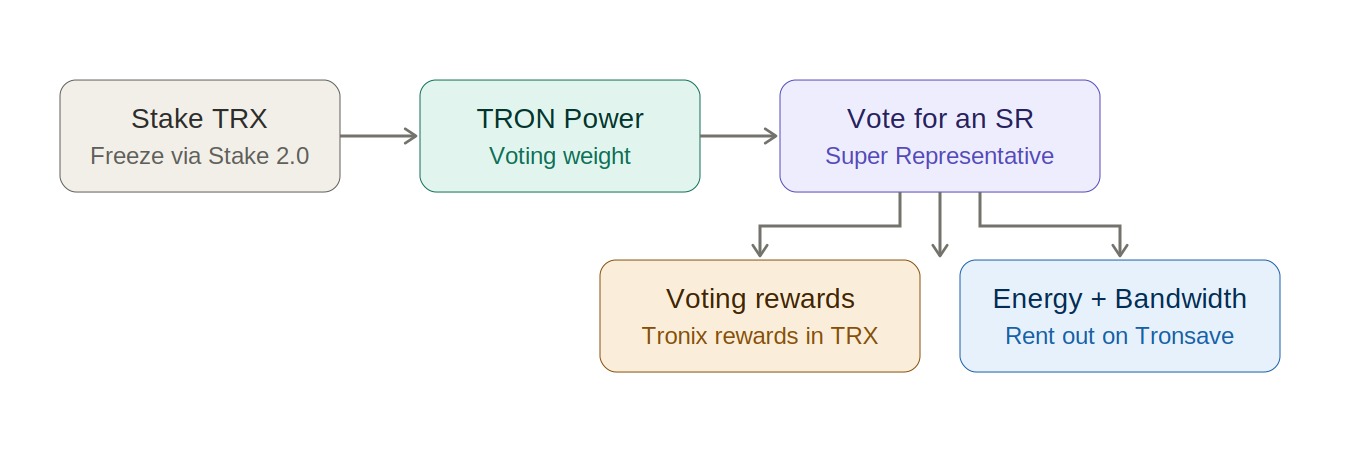
- Vote for a Super Representative: Each staked TRX grants one vote; cast it to earn voting rewards.
Choosing a Super Representative
Every TRX staked for TRON Power gives you one vote for a Super Representative (the network’s block-producing validators). Check candidate uptime and reward-sharing on TronScan or StakingRewards before voting. Picking reliable, high-uptime validators helps maximize your share of voting rewards. For a focused walkthrough, see how to stake TRON.
Unstaking and withdrawing
To exit, request an “Unfreeze.” The TRX enters an unstaking window of roughly 14 days, after which it moves to a “Withdrawable” balance you can claim. With Stake 2.0, partial unstaking does not automatically wipe out your remaining votes, which is a meaningful improvement over Stake 1.0.
Tron Stake 2.0 vs. energy marketplaces: which is right for you?
Native staking and energy marketplaces solve different problems. Staking earns voting rewards and locks capital; marketplaces let you rent Energy on demand or sell surplus Energy from staked TRX. The table compares common approaches.
| Approach | Typical return / cost | Lock-up | Best for |
| Native Stake 2.0 (TronScan/wallet) | ~4–5% APY voting rewards (varies) | ~14-day unfreeze | Long-term holders wanting votes + resources |
| Wallet-native staking (TronLink, TokenPocket) | Same on-chain voting rewards | ~14-day unfreeze | Mobile users wanting simplicity |
| Energy marketplace (e.g., TronSave) | Rent Energy to cut fees; sellers earn variable yield (not guaranteed) | Flexible / short-term | Frequent USDT/DeFi senders or surplus-Energy sellers |
Headline “up to 25% APY” figures sometimes quoted for energy-selling combine variable marketplace income with base voting rewards. These returns depend on Energy demand and pricing, are not guaranteed, and should not be treated as a fixed yield. If your main goal is lower fees rather than yield, renting Energy is often the simpler choice — TronSave is one option alongside other marketplaces and wallet tools.
How can you maximize Tron Stake 2.0 rewards safely?
- Pick strong validators: Favor Super Representatives with high uptime and transparent reward sharing.
- Match stake to usage: Don’t lock more TRX than you need; rent Energy for occasional spikes instead.
- Claim rewards regularly: Voting rewards accrue and should be claimed periodically per your wallet’s interface.
- Verify rates live: Treat any quoted APY as a snapshot; confirm on CoinMarketCap and StakingRewards before committing.
- Mind the lock-up: Remember the ~14-day unfreeze when planning liquidity.
Troubleshooting common Tron Stake 2.0 issues
- Unstaking delays: The ~14-day window is normal. If withdrawal seems stuck, confirm the unfreeze completed and check the “Withdrawable” section.
- Low rewards: A weak Super Representative reduces payouts — switch your vote to a higher-uptime validator.
- Resource shortages: If Energy runs out mid-transaction, stake more or rent Energy from a marketplace.
- Ledger setup: Use StakeKit via Ledger Live’s Discover section rather than expecting native Stake 2.0 support.
Frequently asked questions
- What APY does Tron Stake 2.0 pay? Base voting rewards are roughly 4–5% APY as of 2026 (verify against a primary source); higher “energy-selling” figures are variable and not guaranteed.
- How much TRX should I stake? Stake to match your transaction needs — a few thousand TRX for daily transfers, more for heavy DeFi use. Renting Energy can be cheaper for occasional needs.
- How long does it take to unstake TRX? About 14 days, after which the TRX becomes withdrawable from your wallet.
- Does Tron Stake 2.0 keep my votes when I unstake part of my TRX? Yes — partial unstaking preserves remaining votes, unlike Stake 1.0.
- Can I stake TRX on a Ledger? Yes, through StakeKit in Ledger Live’s Discover section, not native staking.
- Is staking TRX safe? Staking is non-custodial on-chain, but TRX price can fall and funds are locked during unstaking, so it carries real risk.
⚠️ Not financial advice. This article is for educational and informational purposes only and reflects the author’s opinion at the time of writing. It is not investment, financial, legal, or tax advice. Cryptocurrency is highly volatile and you can lose your entire principal; prices, APYs, and on-chain fees change constantly and may be out of date. Always do your own research (DYOR) and consult a licensed financial advisor before buying, selling, staking, or lending any digital asset.
Disclosure: This is the official TronSave blog. TronSave sells TRON energy/resource (fee-reduction) services and has a commercial interest in the products and topics covered here.



