
A tron transaction failed error usually means your wallet ran out of energy or bandwidth, set a fee limit that was too low, or hit a smart-contract revert. The fix is to top up resources, raise the fee limit, and confirm the token and network are correct before retrying.
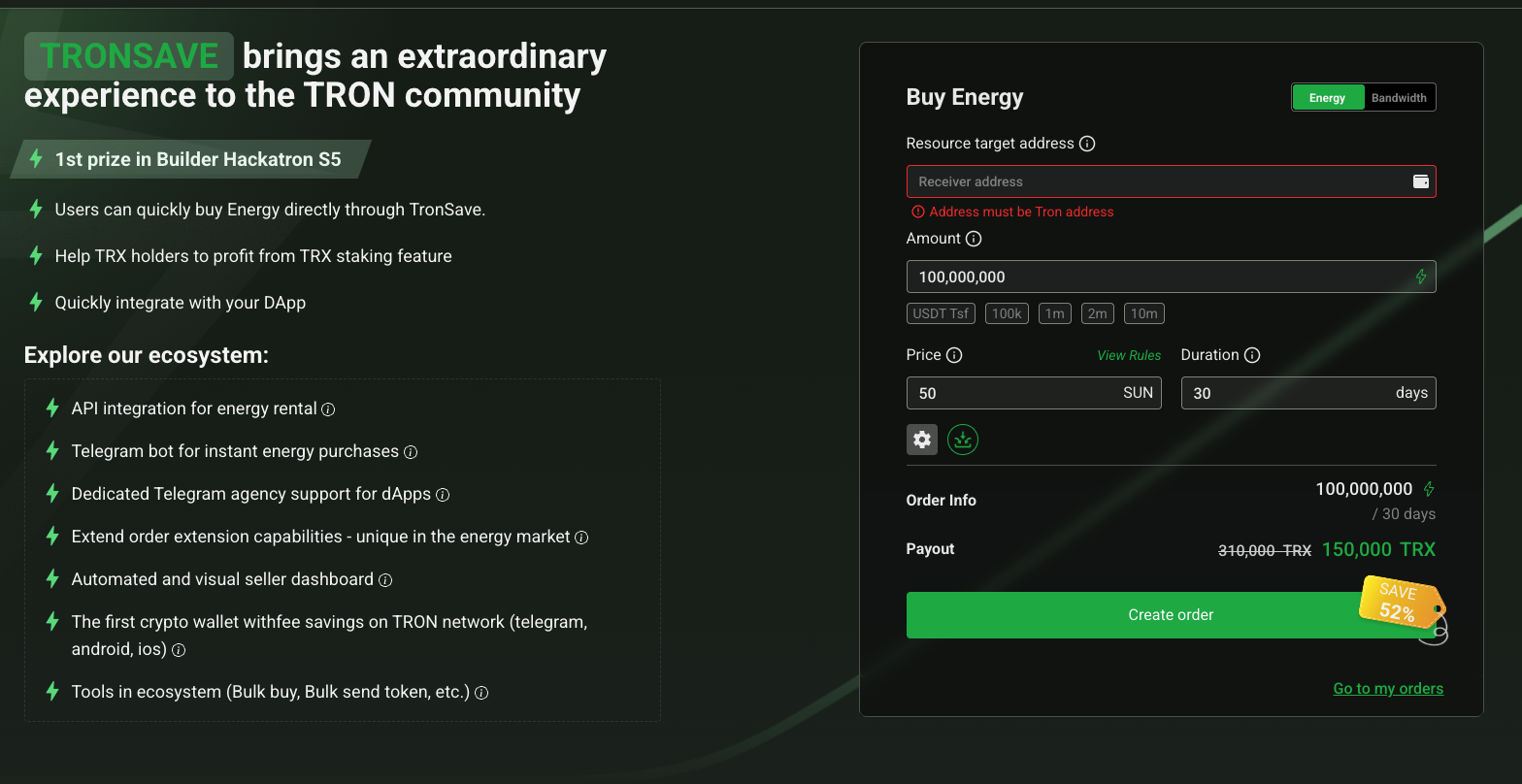
Cut your fees: the cheapest way to move USDT is to rent TRON energy instead of burning TRX — follow the step-by-step guide, or grab live rates on the TRON energy market.
💡 Fix “out of energy” fast: rent TRON energy on TronSave so your USDT transfer goes through without burning extra TRX.
Key Takeaways
- Most TRON transaction failures come from insufficient energy (for TRC-20 transfers like USDT) or bandwidth (for basic transfers).
- A low fee limit, a tiny TRX balance, an unactivated recipient, or a missing token approval can each trigger a failure.
- Under Stake 2.0 (live since October 2023) staked resources are available immediately; the ~14-day delay applies only when you unstake.
- Failed transactions can still consume resources, so confirm settings before retrying.
- You can get energy three ways: stake TRX, rent energy from a marketplace such as TronSave, or let the network burn TRX as a fallback.
Why Does a Tron Transaction Failed Error Happen?
A tron transaction failed error appears when the TRON network cannot complete the work your transaction requested. TRON does not use a single “gas” fee like Ethereum. Instead it splits costs into two resources: energy for smart contracts (including TRC-20 tokens such as USDT) and bandwidth for basic transfers. When either runs short, or a contract rejects the call, the transaction reverts.
Common on-screen messages include “OUT_OF_ENERGY”, “FAILED – Transaction Revert”, and “Not enough TRX or bandwidth for transfer.” Each points to a different root cause, so reading the exact error string is the fastest way to diagnose the problem. You can verify your resource balances and inspect any failed transaction by its hash on TronScan.
What Are the Most Common Causes of TRON Transaction Failures?
Several distinct issues can cause a failure. Here is a breakdown of the most frequent ones and the specific error you are likely to see.
Insufficient energy or bandwidth
TRON transactions consume energy for smart contracts and bandwidth for plain transfers. If your wallet lacks either, the transfer fails with “OUT_OF_ENERGY” or a bandwidth warning. Rather than memorising a fixed number, calculate the energy a given transfer needs with TRON’s resource calculator, because the energy unit price is set by governance and changes over time. As of mid-2026, a USDT (TRC-20) transfer needs roughly tens of thousands of energy units; verify the current figure before you stake or rent (see needs_input).
Low fee limit settings
Smart contracts require a fee limit high enough to cover their computation. Setting it too low causes an immediate failure. If you do not hold enough energy, the network burns TRX up to your fee limit, so a limit that is too small stops the transaction. Raise the fee limit in your wallet (TronLink, Ledger Live, or similar) for contract interactions and swaps.
Insufficient TRX balance
Even with some energy, a near-empty TRX balance can halt a transaction, because TRX is burned to cover any resource shortfall. Keeping a small TRX buffer (commonly suggested around 50-100 TRX) helps cover network fees. Without it you may see “Not enough TRX or bandwidth for transfer.”
Missing token approval or allowance
Many TRC-20 actions on DeFi platforms need a one-time approval before the contract can move your tokens. If the allowance is zero or too low, the swap or transfer reverts. Approve the token (which itself costs energy) and then retry the main transaction.
Slippage, dust, and unactivated accounts
Other reverts have simple causes: swap slippage set too tight when prices move, sending below a token’s minimum or dust threshold, or sending to an unactivated account that has never received TRX. Activating a new TRON address requires a small fee, so first transfers to fresh wallets sometimes need extra bandwidth or TRX.
Wallet or network misconfiguration
Outdated wallet software or selecting the wrong network (a testnet like Nile or Shasta instead of Mainnet) also produces failures. Update your app and confirm you are on the TRON Mainnet. Expired or replaced transactions (a newer one with the same nonce overrides an older pending one) can show as failed too.
How Do You Fix a Tron Transaction Failed Error?
The fix depends on the cause. Work through these steps in order, and match each error string to its solution.
Step 1: Check energy and bandwidth.
- Open TronScan and view your wallet’s energy and bandwidth.
- If low, stake TRX in your wallet to gain resources, or rent energy from a marketplace. Use the resource calculator to size the amount.
- Staked resources are available immediately under Stake 2.0. There is no activation wait. The ~14-day waiting period applies only when you unstake TRX. See the official TRON resource and staking docs.
Step 2: Raise the fee limit. Increase the fee limit for smart-contract transactions so it can cover the required computation. For swaps, make sure you hold enough energy or use a discounted swap option where available.
Step 3: Keep a TRX buffer. Transfer a small amount of unstaked TRX (around 50-100) to cover network fees, and avoid draining the balance, since even failed attempts can consume resources.
Step 4: Verify the token and approval. Confirm the token’s contract address on TronScan, approve the token if a swap needs an allowance, and avoid low-liquidity tokens prone to reverts.
Step 5: Update the wallet and check the network. Update TronLink, Ledger Live, Klever, or your wallet of choice, and ensure you are on the TRON Mainnet.
| Error / Issue | Likely Message | Fix |
| Out of energy | OUT_OF_ENERGY | Stake or rent energy; size it with the resource calculator |
| Low fee limit | Transaction Revert | Raise the fee limit for contract calls and swaps |
| Insufficient TRX | Not enough TRX or bandwidth | Keep a small unstaked TRX buffer |
| Missing approval | Transaction Revert | Approve the TRC-20 token, then retry |
| Unactivated account | Account not activated | Send activation fee / extra bandwidth first |
| Wrong network | OUT_OF_ENERGY / no balance | Switch to TRON Mainnet; update wallet |
How Can You Prevent Future TRON Transaction Failures?
Prevention beats troubleshooting. These habits keep transfers smooth:
- Secure resources ahead of time. Stake TRX for a steady energy and bandwidth supply, or rent energy when you only need it occasionally. Staking locks your TRX; renting and burning do not, so weigh the trade-offs. Learn the basics in this guide to TRON energy and bandwidth.
- Understand what staking gives you. See does staking TRX provide energy or bandwidth to choose the right resource for your transactions.
- Monitor governance changes. Energy unit prices can shift via TRON DAO proposals, so re-check costs periodically at TRON DAO.
- Test small first. Before a large transfer, send a small amount to confirm wallet settings and token compatibility.
Whether you stake, rent from a marketplace like TronSave, or simply keep a TRX buffer, the goal is the same: enough resources on hand so a tron transaction failed error never interrupts your transfers.
FAQ: Tron Transaction Failed Errors
Why does my TRON transaction fail even with enough TRX?
Insufficient energy or a fee limit that is too low often causes failures even when TRX is available. Check your energy balance on TronScan and raise the fee limit in your wallet.
Can I recover TRX lost in a failed transaction?
TRX burned for energy or fees during a failed attempt is generally non-recoverable, because the network still performs computational work. Prevent this by confirming resources before transferring.
How much TRX should I stake for energy?
It varies with the current energy unit price and how many transactions you make. Use TRON’s resource calculator to size it for your usage rather than relying on a fixed number.
Why do failed transactions still charge fees?
TRON consumes resources for every transaction attempt because the network performs computation even when the transaction ultimately reverts.
What does “Transaction Revert” mean on TRON?
It means the smart contract rejected the call. Common reasons include a missing token approval, slippage, sending below a token’s minimum, or interacting with a buggy or low-liquidity contract.
Is renting energy better than staking to avoid failures?
Both work. Staking suits steady, ongoing use but locks your TRX; renting from a marketplace suits occasional transfers without a lock-up. Choose based on how often you transact.
⚠️ Not financial advice. This article is for educational and informational purposes only and reflects the author’s opinion at the time of writing. It is not investment, financial, legal, or tax advice. Cryptocurrency is highly volatile and you can lose your entire principal; prices, APYs, and on-chain fees change constantly and may be out of date. Always do your own research (DYOR) and consult a licensed financial advisor before buying, selling, staking, or lending any digital asset.
Disclosure: This is the official TronSave blog. TronSave sells TRON energy/resource (fee-reduction) services and has a commercial interest in the products and topics covered here.



