
To learn how to withdraw Tron from Trust Wallet, open the app, select TRX, tap “Send”, paste the recipient’s TRC20 address, enter the amount, and confirm. The transfer settles on the TRON network in seconds. Always double-check the address and network first.
Last updated: June 2026.
Key Takeaways
- The core steps: open Trust Wallet → select TRX → Send → paste a verified TRC20 address → confirm.
- Transactions are irreversible. A wrong address or wrong network means permanent loss of funds.
- Fees are paid in TRX from bandwidth and energy. A simple TRX send is often a fraction of a TRX, and can be near-free when your account holds enough bandwidth.
- To reach a bank account you must route TRX through an exchange (Binance, Coinbase, Kraken), sell for fiat, then withdraw.
- Resource options: staking TRX for free bandwidth/energy, or renting energy from platforms such as TronSave, can lower the cost of frequent transfers.
How to withdraw Tron from Trust Wallet step by step
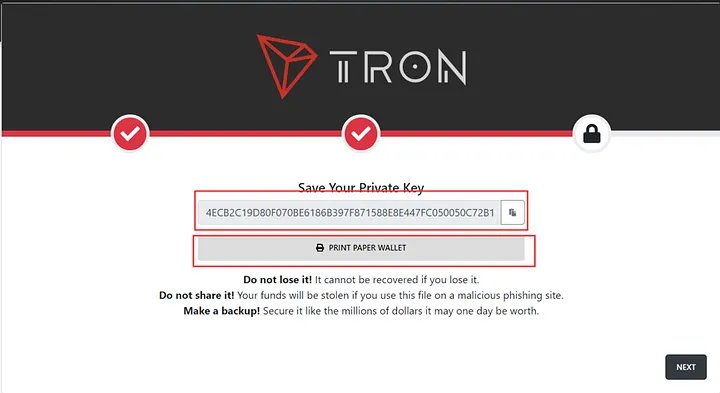
Trust Wallet is a self-custody mobile wallet, so withdrawing simply means sending TRX from your wallet to another TRON (TRC20) address. The process takes under a minute once you have the destination address ready.
Open Trust Wallet and select TRX
Launch the Trust Wallet app and tap your TRX balance. Confirm you are using the native TRON (TRC20) network and that your balance covers both the amount you want to send and the small network fee.
Enter the recipient’s TRON address
Tap “Send” and paste the recipient’s TRC20 wallet address. Because blockchain transactions are irreversible, verify the address character-by-character or scan a QR code. If you are sending to an exchange, copy the TRX deposit address from that exchange’s wallet page.
Specify the amount and confirm
Enter the TRX amount, leaving a little for the network fee. Review the address, amount, and fee, then confirm. You can paste the transaction hash into TronScan to track confirmation, which usually completes within seconds to a minute.
| Step | Action | Key notes |
| 1 | Open Trust Wallet | Confirm the TRON (TRC20) network is selected |
| 2 | Tap “Send” | Paste the recipient’s TRX address accurately |
| 3 | Enter amount | Leave a little TRX for the bandwidth/energy fee |
| 4 | Confirm transaction | Verify every detail; the transfer cannot be reversed |
Warning: Always double-check the recipient address and the network (TRC20). Sending TRX or USDT to a wrong address or an incompatible network results in permanent, unrecoverable loss.
How do TRON network fees actually work?
TRON does not charge a flat dollar gas fee like some chains. Instead, transactions consume two resources: bandwidth (for the transaction size) and energy (for smart-contract execution, such as USDT transfers).
- Bandwidth: every account receives a small free daily allowance. A plain TRX transfer is cheap and can be effectively free if your free bandwidth covers it.
- Energy: required for TRC20 token transfers like USDT. Without enough energy, the cost is burned in TRX, which is why USDT sends can feel expensive.
- Getting resources: you can stake (freeze) TRX to earn bandwidth and energy for free, or rent energy short-term. You can read more in our guide to TRON energy and bandwidth.
Renting energy from a platform such as TronSave can reduce the TRX burned on token transfers, but the exact savings vary by transaction and market conditions (as of 2026; verify against a primary source). For the underlying mechanics, see the official TRON resource model documentation.
How do you convert TRX to fiat for a bank withdrawal?
Trust Wallet cannot send money straight to a bank. To cash out, move TRX to a fiat-enabled exchange, sell it, then withdraw the proceeds.
Transfer TRX to a cryptocurrency exchange
Send TRX from Trust Wallet to a reputable exchange that supports TRON deposits and fiat withdrawals, such as Binance, Coinbase, or Kraken. Use the exchange’s TRC20 deposit address and confirm the network matches before sending.
Sell TRX for fiat currency
Once the TRX arrives, open the exchange’s trading or convert screen and sell TRX for your chosen fiat (USD, EUR, GBP). Trading fees typically range from about 0.1% to 0.5%; check the live fee schedule first.
Withdraw fiat to your bank account
Go to the withdrawal section, choose your linked bank account, and confirm. Most exchanges require completed KYC verification. Bank settlement usually takes 1-5 business days depending on the method and region.
| Exchange | TRC20 support | Fiat withdrawal | Typical fees (verify live) |
| Binance | Yes | USD, EUR, others | ~0.1% trading; bank fees vary |
| Coinbase | Yes | USD, EUR, GBP | ~0.2%-0.5% trading; bank fees vary |
| Kraken | Yes | USD, EUR, others | ~0.1%-0.25% trading; bank fees vary |
Fees change often, so treat the figures above as approximate (as of 2026; verify against each exchange’s official fee page).
What are the safest alternatives to Trust Wallet for TRX?
Trust Wallet works well for everyday use, but other wallets suit different needs. The withdrawal steps are nearly identical: you always send TRX to a TRC20 address.
- Exodus: supports TRX with an in-app exchange and a beginner-friendly interface for swapping tokens.
- Ledger: a hardware wallet that keeps your keys offline, reducing hacking risk for long-term storage.
- SunSwap / on-chain DEX: useful for swapping TRC20 tokens without an exchange account, though you still pay network resources.
If you move TRX frequently, learning whether staking TRX provides energy or bandwidth helps you decide between staking your own TRX, using a hardware wallet, or renting resources from a service like TronSave.
| Wallet | Best for | TRX support | Ease of use |
| Trust Wallet | Mobile everyday use | Yes | High |
| Exodus | In-app swaps | Yes | High |
| Ledger | Offline cold storage | Yes | Medium |
Frequently asked questions
Q: Can I withdraw TRX directly to my bank account from Trust Wallet?
A: No. Trust Wallet is self-custody and does not support direct fiat payouts. You must send TRX to an exchange, sell it for fiat, then withdraw to your bank.
Q: How much does it cost to withdraw TRX from Trust Wallet?
A: A plain TRX transfer is cheap and can be near-free if your account has free bandwidth. USDT TRC20 transfers cost more because they burn energy. Exchange and bank fees are separate.
Q: What happens if I send TRX to the wrong address?
A: The transfer is permanent and cannot be reversed or refunded. Always verify the full TRC20 address and the network before confirming.
Q: Can I withdraw USDT TRC20 instead of TRX the same way?
A: Yes. Select USDT on the TRON (TRC20) network in Trust Wallet and send it to a compatible TRC20 address. Keep enough TRX or energy to cover the fee.
Q: Are exchanges like Binance and Coinbase safe to use?
A: Both are established, regulated platforms. Reduce risk by enabling two-factor authentication, completing KYC, and confirming you control your withdrawal addresses.
Q: Is renting energy worth it for occasional withdrawals?
A: For a few simple TRX sends, free bandwidth is usually enough. Renting energy or staking TRX mainly helps if you send USDT or other TRC20 tokens regularly.
Conclusion
Knowing how to withdraw Tron from Trust Wallet comes down to a careful, repeatable routine: select TRX, paste a verified TRC20 address, account for the network fee, and confirm. To reach a bank, route TRX through a trusted exchange and complete KYC. If frequent transfers add up, compare staking TRX for free resources against renting energy from platforms like TronSave, and always verify current fees against a primary source before you send.
⚠️ Not financial advice. This article is for educational and informational purposes only and reflects the author’s opinion at the time of writing. It is not investment, financial, legal, or tax advice. Cryptocurrency is highly volatile and you can lose your entire principal; prices, APYs, and on-chain fees change constantly and may be out of date. Always do your own research (DYOR) and consult a licensed financial advisor before buying, selling, staking, or lending any digital asset.
Disclosure: This is the official TronSave blog. TronSave sells TRON energy/resource (fee-reduction) services and has a commercial interest in the products and topics covered here.



