To buy energy and bandwidth on the TronSave website, open tronsave.io/market, choose a normal order (wallet connected) or a pending order (pay TRX directly), set the amount, price and duration, then submit. Resources are delegated to your TRON address, usually within minutes.
Key Takeaways
- There are two ways to buy energy and bandwidth: a wallet-connected “normal order” or a wallet-free “pending order” paid in TRX.
- Energy powers smart-contract calls (like USDT/TRC-20 transfers); bandwidth covers ordinary transactions. TRON’s resource model explains why both exist.
- Rental durations range from 15 minutes to 30 days, so you pay only for what you need.
- Pay the exact TRX amount within the countdown, or a pending order is rejected.
- Canceling an unmatched order carries a fee (approximately 5 TRX as of 2026; verify in-app), and renting is one option alongside staking your own TRX.
- This page covers the order form. If you are not sure the order form is what you want, which TronSave tool do you need maps each job — one transfer, a batch, many wallets, or hands-off top-ups — to the right tool.
Why buy energy and bandwidth instead of burning TRX?
Every TRON transaction consumes resources. If you have none, the network burns TRX to cover the cost, which makes frequent USDT transfers expensive. Buying or renting resources is typically far cheaper than burning TRX, and it avoids the long lock-up that comes with staking.
- Energy — needed for smart-contract interactions, including TRC-20/USDT transfers. Running out of energy is a common cause of failed “out of energy” transactions.
- Bandwidth — consumed by basic operations such as sending TRX. Each account also gets a small free daily bandwidth allowance.
You can obtain these resources by staking (freezing) your own TRX, by delegation, or by renting on a marketplace like TronSave. Renting suits users who need resources occasionally and do not want capital locked up.
How do you place a normal order (wallet connected)?
A normal order is the most direct way to purchase resources when your wallet is connected to the site.
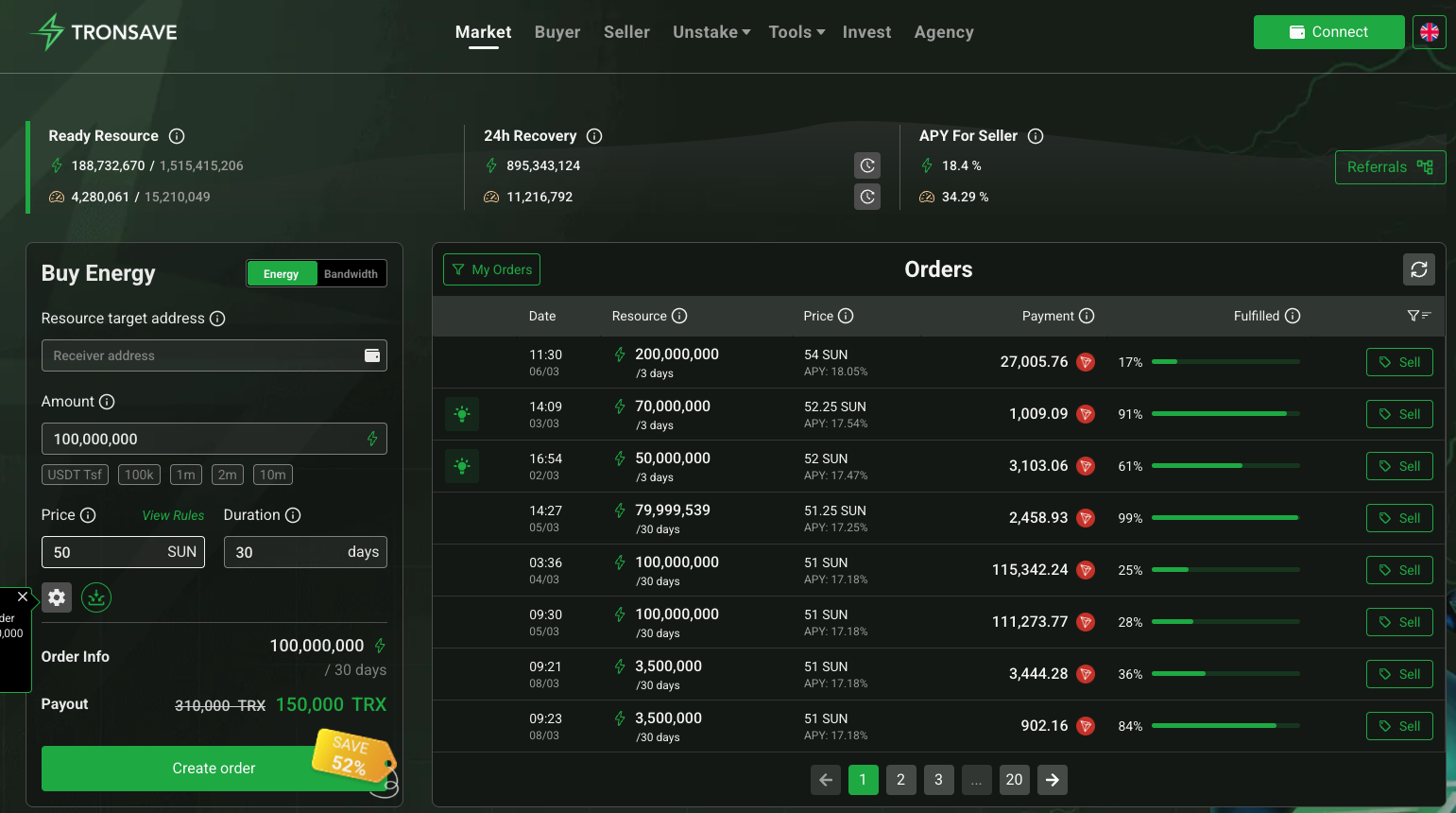
- Step 1 — Visit the market: Open tronsave.io/market in your browser.
- Step 2 — Connect your wallet: Click the wallet-connect option and confirm your wallet supports the TRON network.
- Step 3 — Create your order: Enter the amount of energy or bandwidth, your price, a duration (15 minutes to 30 days), and an optional resource target address. Click Create Order.
- Step 4 — Advanced settings (optional): Open Settings to adjust:
- Minimum Delegate — the smallest amount a single provider may delegate; orders match with providers that meet or exceed it.
- Allow Partial Fill — lets multiple providers fill the order; unchecked, one provider must fill it in a single transaction.
- Immediate Buy — fills instantly; if no provider is ready the order cancels after about 3 minutes.
- Priority Payment — choose how payment is confirmed (default: always asks).
- Step 5 — Monitor: The order appears under My Orders and fills automatically when pool resources are available.
How do you place a pending order without connecting a wallet?
A pending order lets you obtain these resources by paying TRX directly, no wallet connection required to create it.
- Step 1: Go to tronsave.io/market.
- Step 2: Select Energy or Bandwidth, then enter the receiver address, amount (for example 500,000 units), and duration. Click Create Order.
- Step 3: Choose TOP UP DIRECTLY. The system returns a TRX payment address, the exact TRX amount, and a countdown timer (typically about 3 minutes).
- Step 4: Send the exact TRX amount to that address within the time limit. An incorrect amount causes the order to be rejected.
- Step 5: After payment, the system verifies the transaction on-chain and processes your order automatically. You can confirm any TRX transfer independently on TronScan.
Do not reuse the sample figures shown in on-screen examples for a real payment — always use the live values your own order generates.
Normal order vs pending order: which should you use?
| Feature | Normal Order | Pending Order |
|---|---|---|
| Wallet connection | Required to create | Not required to create |
| Payment | Signed in wallet | Exact TRX sent to an address |
| Best for | Hands-on control, custom settings | Quick, wallet-free top-ups |
| Edit / cancel | Wallet needed | Wallet needed to edit or cancel |
| Risk if amount wrong | Lower (wallet shows total) | Order rejected if TRX is off |
How do you update the target address or cancel an order?
Both actions require a connected TRON-compatible wallet, even for pending orders.
- Update the receiving address: Possible only if the order is not fully matched and at least one hour has passed (timing as of 2026; verify against a primary source). Connect your wallet, open My Orders → Order Detail, click Edit, enter the new TRON address, and confirm.
- Cancel an order: Possible only while the order remains unmatched after roughly 5 minutes. Open My Orders, click Cancel, then confirm with Yes, I’m sure. A cancellation fee of approximately 5 TRX applies (as of 2026; verify against a primary source).
What should you watch out for?
- Exact-amount payments: For pending orders, an over- or under-payment can cause rejection. Confirm the refund and handling policy in-app before sending.
- Non-refundable fees: The cancellation fee is not returned, so cancel only when necessary.
- Unfilled orders: If the pool lacks resources, an order may sit unfilled or auto-cancel; check My Orders for status.
- Address accuracy: Resources are delegated to the address you enter — a wrong address cannot be reversed by support.
- Verify everything: Compare any on-chain delegation against your TronScan history.
Marketplaces are not the only route. If you transact constantly, freezing TRX for your own resources or using resource delegation may be more economical than repeated rentals. Prefer chat? You can also buy energy and bandwidth on Telegram.
Frequently Asked Questions
What is the difference between energy and bandwidth on TRON?
Energy fuels smart-contract execution (such as USDT/TRC-20 transfers), while bandwidth covers basic transactions like sending TRX. The official TRON resource model details both.
Do I need a wallet to buy energy and bandwidth?
Not to create a pending order — you can pay TRX directly. A normal order requires a connected wallet, and editing or canceling any order also needs one.
How long can I rent energy or bandwidth?
Durations run from 15 minutes to 30 days, so you can match the rental to a single transaction or a longer period.
What happens if I pay the wrong TRX amount?
A pending order paid with an incorrect amount is rejected. Check the in-app refund policy and always send the exact amount shown before the timer expires.
Is there a fee to cancel an order?
Yes — a cancellation fee of approximately 5 TRX applies and is non-refundable (as of 2026; verify in-app). You can cancel only while the order is unmatched.
Is renting better than staking TRX?
Renting avoids locking up capital and suits occasional needs. Frequent users may save more by staking TRX for energy or bandwidth. Compare both for your usage.
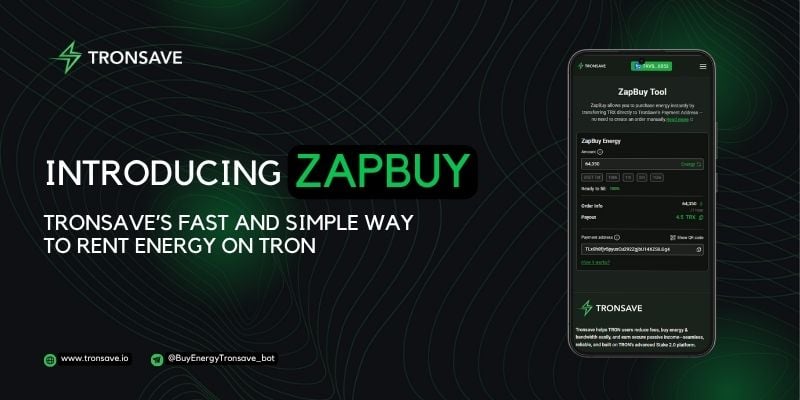
Not sure which to pick? Compare TronSave order types (Normal, Pending, Smart, ZapBuy, Auto-Buy) to choose the cheapest, fastest buy.