
What does “tron fail out of energy” mean?
The tron fail out of energy error appears when your TRON wallet does not have enough energy or TRX to complete a transaction, most often a TRC-20 transfer like USDT. The network cannot execute the smart contract, so it rejects the transfer until you add energy.
Cut your fees: the cheapest way to move USDT is to rent TRON energy instead of burning TRX — follow the step-by-step guide, or grab live rates on the TRON energy market.
💡 Instant fix: rent cheap TRON energy on the TronSave market — energy lands in your wallet in seconds and the error clears.
This is a resource problem, not a wallet bug. TRON uses energy and bandwidth to pay for on-chain computation. When energy runs low, you either burn TRX to cover the cost or you supply energy another way. Below is a practical, vendor-neutral breakdown of why it happens and how to fix it.
Key takeaways
- This error means your wallet lacks the energy (or TRX) to run a transaction.
- A USDT transfer costs roughly 64,895 energy to an address that already holds USDT, and about 29,650 to a brand-new address (as of 2026; verify against a primary source).
- You can fix it three ways: burn TRX, stake (freeze) TRX for daily energy, or rent energy from a marketplace.
- Renting suits one-off transfers; staking suits frequent users; burning TRX is the fallback when you do neither.
- Always check “My Resources” on TronScan or TronLink before sending.
Why does tron fail out of energy happen?
To resolve the error you need to understand TRON’s energy system. Energy powers contract execution, such as TRC-20 token transfers, on the TRON blockchain. If energy is insufficient and you also lack the TRX to burn for it, the transaction fails. Here are the main causes.
Insufficient energy balance
TRC-20 transactions such as sending USDT require approximately 64,895 energy units when sending to an address that already holds USDT, and roughly 29,650 energy to a new address (cost varies by recipient and contract; verify against a primary source). If your available energy is below that threshold, the blockchain cannot process the transfer.
Low TRX for transaction fees
When energy is lacking, TRON burns TRX to generate the energy needed for that single transaction. Keeping a small TRX buffer (for example, around 30–100 TRX) helps. Without enough TRX to burn, the transaction simply fails.
High energy demands from complex transactions
Smart contracts and large TRC-20 batches consume far more energy than a simple transfer. Deploying a contract through Tron-IDE, for instance, can require a large fee-limit allowance, so undersized resources cause failure.
Network congestion or low fee limits
During peak activity, energy is in higher demand. A fee limit that is set too low in your wallet or Tron-IDE can also trigger the error. Raising the transfer fee limit to roughly 30–50 TRX often clears it.
Quick tip: Check your energy on TronScan before transferring — it is like making sure your phone is charged before a long call.
How do you fix the tron fail out of energy error?
Fixing the problem comes down to giving the wallet enough energy. You can burn TRX, stake TRX for recurring energy, or rent energy for a single batch. The right choice depends on how often you transact. Here are the steps.
Check your energy and TRX balance
Verify your wallet’s energy and TRX using TronLink, Trust Wallet, or TronScan. On TronScan, open “My Resources” or enter your wallet address to view available energy. Aim for roughly the energy figure above plus a TRX buffer before you send.
Stake (freeze) TRX to earn daily energy
Staking TRX (Stake 2.0) gives you recurring daily energy. General steps:
- Open a TRON wallet such as TronLink or Trust Wallet.
- Go to the staking / “Freeze” section and choose to stake for Energy.
- Freeze enough TRX for your daily energy needs (the exact TRX-to-energy ratio shifts with total network staking; verify the current rate before committing).
- Confirm the transaction.
Note: staked TRX is locked, and unstaking has a 14-day waiting period. This favors frequent users. Not financial advice — staking locks your funds for 14 days, the TRX price can fall, and energy yields fluctuate with network conditions.
Rent energy for one-off transfers
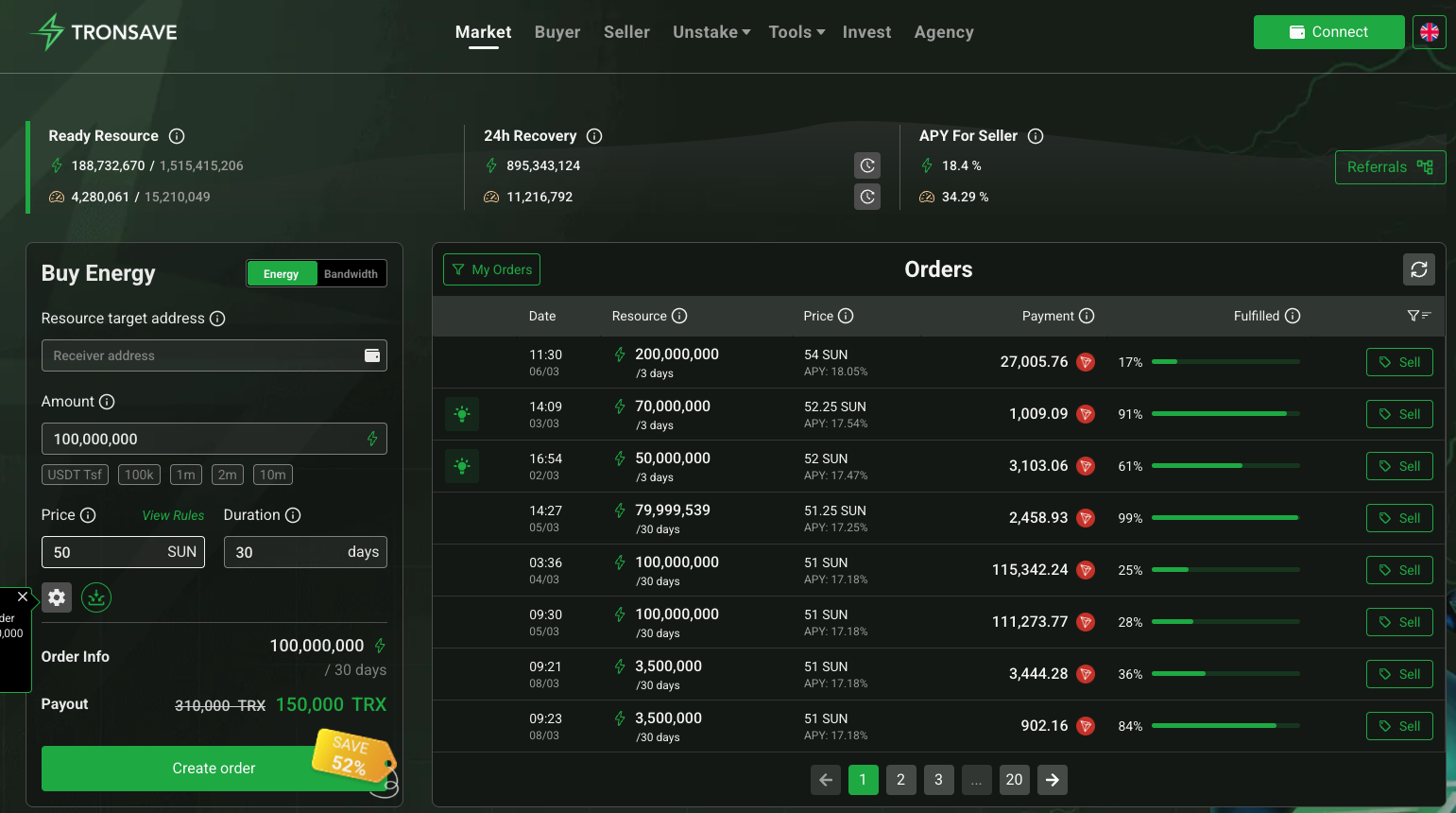
Energy marketplaces let you rent energy for a few transactions instead of locking up TRX. Providers include TronSave and other TRON energy-rental services. Typical flow:
- Open the provider’s “Buy Energy” page.
- Enter your wallet address and the number of transfers you need.
- Send the quoted TRX to the address shown.
- Receive the energy within a few minutes and transact.
Renting can be cheaper than burning TRX for occasional transfers. For a fuller comparison, see this guide to reducing TRON gas fees. Prices vary by provider and demand, so confirm the live rate.
Adjust transaction fee limits
For token transfers or contract calls, raise the fee limit in your wallet or Tron-IDE — roughly 30–50 TRX for transfers, higher for complex contract deployments — so there is enough headroom to cover energy.
Optimize smart contract efficiency
Developers can cut energy use by optimizing contract code. Using constant or view functions for read-only calls avoids on-chain energy costs and lowers failure risk.
Which fix is best: stake, rent, or burn TRX?
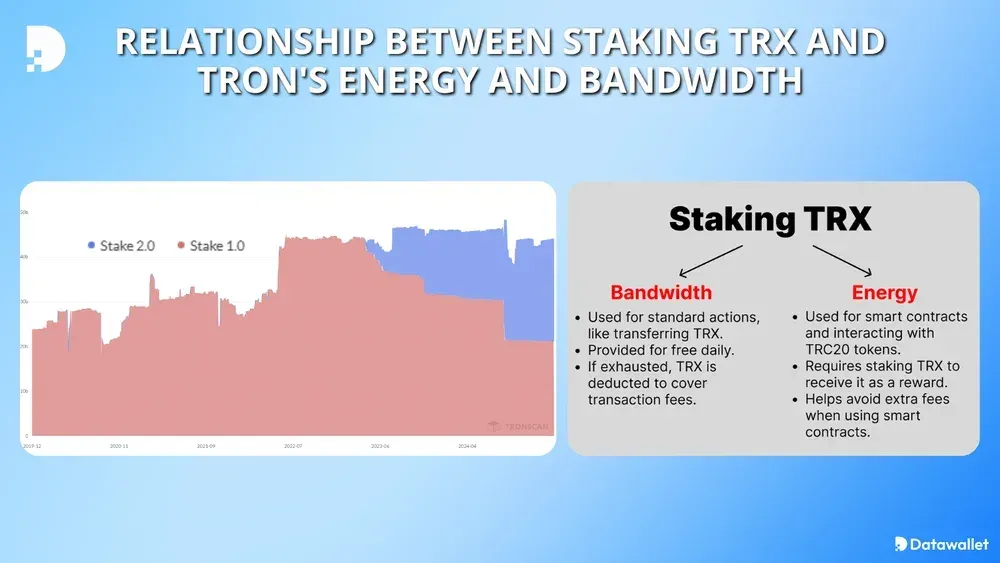
There is no single winner — it depends on volume. The table below compares the common options so you can match the fix to your usage. Figures are approximate and change with the live TRX price and network conditions (verify against a primary source).
| Solution | Cost basis | Best for | Trade-off |
| Stake (freeze) TRX | Capital locked; recurring daily energy | Frequent TRON users | 14-day unlock; TRX price risk |
| Rent energy | Pay-per-use TRX fee | One-time / occasional transfers | Per-transaction cost; pick a reputable provider |
| Burn TRX | TRX consumed per transaction | Rare transfers, no setup | Usually the most expensive per transfer |
| Optimize contract code | Free (developer time) | Smart contract developers | Requires coding effort |
As a rule of thumb: if you transfer USDT daily, staking or a longer rental usually wins; if you send once in a while, renting or simply burning TRX is simpler.
What tools help prevent the error?
Preventing this energy error is mostly about monitoring resources before you transact. These tools help you stay ahead.
- TronScan: the official explorer shows energy and bandwidth under “My Resources”; see the official TRON developer docs for how energy is calculated.
- TronLink & Trust Wallet: display real-time energy and TRX balances before each transfer; keep them updated.
- Network timing: sending during lower-activity periods can reduce the energy you burn.
Once the failures stop, the next thing worth auditing is quiet waste — renting when burning is cheaper, renting days for a job that takes minutes, or cancelling an order that nearly filled. See nine ways to quietly overpay for TRON energy.
Frequently asked questions (FAQ)
How often does this energy error occur?
It depends on your transaction frequency and how you manage resources. Low energy or a thin TRX buffer makes it more likely, especially for TRC-20 tokens like USDT.
Can a specific wallet prevent this error?
No wallet eliminates it, but TronLink and Trust Wallet show your energy levels so you can top up before sending.
Does transaction size impact the error?
Indirectly. Larger transfers and smart contracts consume more energy, raising the risk when resources are low.
How long does rented energy last?
Rented energy is applied for your transactions and any unused portion returns to the network at the end of the rental window set at purchase.
Is renting always cheaper than staking?
No. Renting is usually cheaper for occasional transfers, while staking tends to be more economical for daily, high-volume use. Compare the live rates for your own volume.
Are there other ways to send TRC-20 tokens?
Burning TRX to cover energy is always available as a fallback. Staking or renting is generally more efficient. Keep a small TRX buffer for fees regardless.
Conclusion
The tron fail out of energy error is a fixable resource shortfall — not a broken wallet. Check “My Resources” on TronScan, then pick the fix that matches your volume: burn TRX for rare sends, rent energy for occasional transfers, or stake TRX if you transact often. Confirm current rates against a primary source before committing funds.
⚠️ Not financial advice. This article is for educational and informational purposes only and reflects the author’s opinion at the time of writing. It is not investment, financial, legal, or tax advice. Cryptocurrency is highly volatile and you can lose your entire principal; prices, APYs, and on-chain fees change constantly and may be out of date. Always do your own research (DYOR) and consult a licensed financial advisor before buying, selling, staking, or lending any digital asset.
Disclosure: This is the official TronSave blog. TronSave sells TRON energy/resource (fee-reduction) services and has a commercial interest in the products and topics covered here.



