Updated June 2026. The Buyer Tab on Tronsave is a dedicated dashboard for regular energy buyers that brings your overview metrics, off-chain wallet, manual and automatic buying, order history, and referrals into one place. It is built to make renting TRON energy and bandwidth simpler to manage day to day.
Key Takeaways
- The Buyer Tab on Tronsave centralizes account, wallet, and order management for everyday energy buyers.
- It includes a Home overview, an Off-chain Wallet, an Order History page with Manual Buy and Auto Buy, plus a Referrals section.
- Auto Buy keeps your account topped up to an energy threshold; MEDIUM or FAST settings generally improve order matching.
- Referral rewards (advertised at up to 5%) vary and are not guaranteed; they depend on your referrals’ actual usage.
- Renting energy is one option for cutting TRC-20/USDT fees; staking TRX yourself or using other providers are valid alternatives.
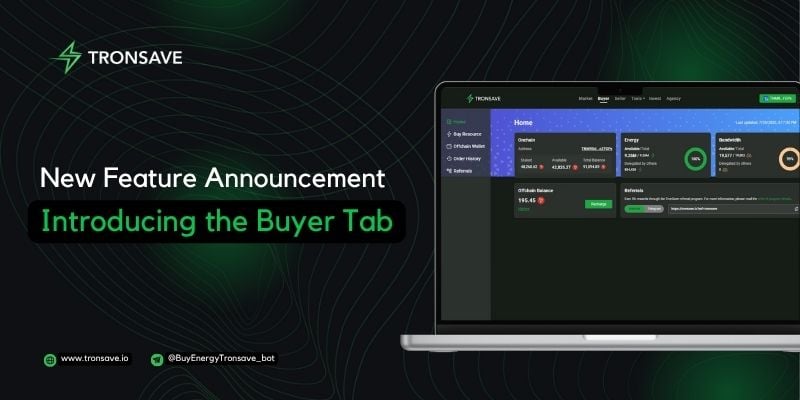
What is the Buyer Tab on Tronsave?
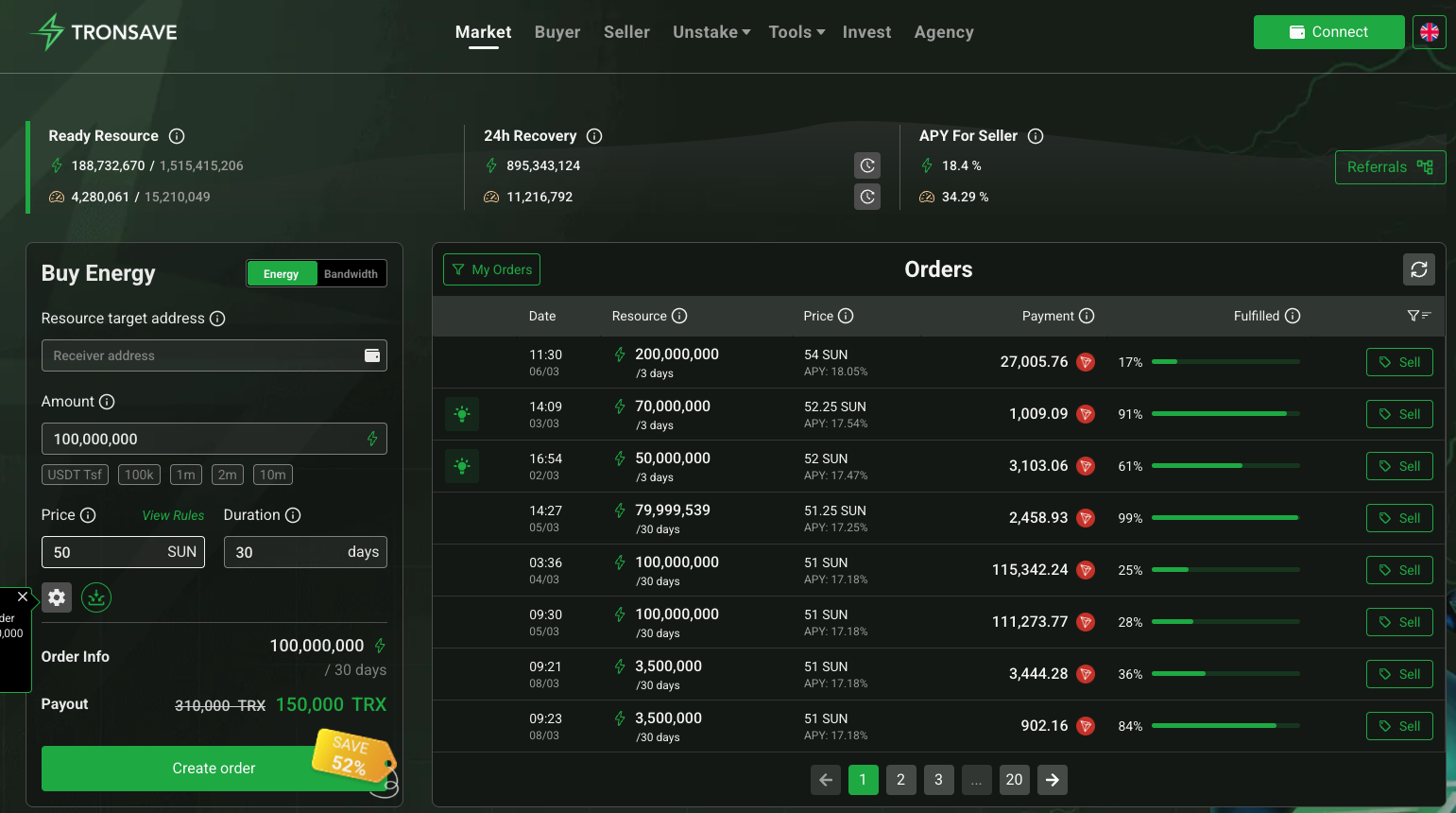
The Buyer Tab on Tronsave is a section of the TronSave dashboard designed specifically for people who buy TRON energy and bandwidth regularly rather than selling resources. Instead of jumping between separate screens, it groups everything a buyer needs to fund an account, place orders, and review past activity.
TronSave is an energy and bandwidth marketplace on the TRON network. Renting energy can lower the TRX cost of TRC-20 transfers such as USDT, because energy offsets the resource a smart-contract call would otherwise burn. For background on how these resources work, see the official TRON resource model documentation.
What sections does the Buyer Tab include?
The Buyer Tab is organized into a few clear areas so you can move from checking balances to placing an order without losing context.
- Home Page: A quick overview of your available resources, account balance, and key usage metrics.
- Off-chain Wallet Page: Manage your internal TronSave balance, view recharge history, top up funds, and generate or revoke API keys.
- Order History Page: Place new orders and review past ones, supporting both Manual Buy and Auto Buy.
- Referrals: Track referral links and any rewards you have earned from people you invite.
Manual Buy vs Auto Buy
The Order History page is where most buying happens. The two modes serve different needs, so it helps to know when each one fits.
| Feature | Manual Buy | Auto Buy |
|---|---|---|
| Best for | One-off or scheduled purchases | Maintaining a steady energy level |
| How it works | You place each order yourself | Tops up automatically when energy drops below a threshold |
| Bulk support | Bulk send for off-chain payments | Handled automatically per threshold rule |
| Recommended speed | Choose per order | MEDIUM or FAST for better matching |
| Ideal user | Occasional buyers | High-frequency USDT senders, apps, bots |
How do you set up an Auto Buy energy threshold?
Auto Buy is useful when you send TRC-20 transactions often and do not want to run out of energy mid-flow. A typical setup looks like this:
- Open the Order History page in the Buyer Tab and choose Auto Buy.
- Set a minimum energy threshold. When your balance falls below it, TronSave triggers a purchase to refill.
- Pick a speed setting. MEDIUM balances cost and matching reliability for routine use; FAST prioritizes quick matching when you need energy without delay.
- Fund your off-chain wallet so Auto Buy has a balance to draw from.
As a worked example, a wallet that sends many daily USDT transfers might set a threshold around its average per-transaction energy need times a small buffer, then choose MEDIUM so refills match consistently while keeping per-order pricing sensible. Always start conservative and adjust after watching a few cycles in Order History.
How does the Off-chain Wallet and bulk Manual Buy work?
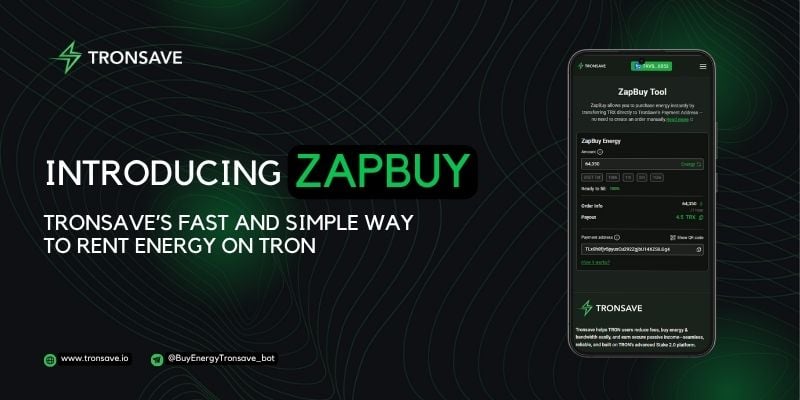
The Off-chain Wallet holds an internal TronSave balance you can recharge and spend on orders without a separate on-chain transaction each time. From here you can also manage API keys if you plan to automate purchases programmatically.
For Manual Buy, the bulk send option lets you fund energy for several recipient addresses from your off-chain balance in one action, which is handy for projects distributing energy to multiple wallets. If you prefer fully programmatic control, TronSave also documents an API approach in its automate buy TRON energy with API guide.
How do you claim the referral reward?
The Referrals section provides a personal invite link. When someone signs up through it and uses TronSave, you may earn a referral reward advertised at up to 5%. Treat that figure as a maximum rather than a promise: actual earnings vary with your referrals’ real usage and current program terms, and rewards are not guaranteed. Check the live Referrals page for the current rate before relying on it.
Is renting energy the only way to cut fees?
No. The Buyer Tab makes renting convenient, but it is one of several approaches:
- Rent energy via a marketplace like TronSave for short-term, pay-as-you-go savings.
- Stake TRX yourself to freeze for energy or bandwidth if you hold TRX long term. See our overview of TRON Stake 2.0 energy and bandwidth and the TRON energy and bandwidth guide.
- Compare other providers, since pricing and matching speed differ across the market.
The right choice depends on how often you transact and whether you want to hold TRX. For occasional transfers, renting is usually simpler; for constant high volume, a mix of staking and Auto Buy can be cost-effective.
Frequently Asked Questions
What is the Buyer Tab on Tronsave used for?
It is a dashboard for energy buyers that combines account overview, off-chain wallet, manual and automatic buying, order history, and referrals so you can manage everything from one place.
What is the difference between Manual Buy and Auto Buy?
Manual Buy is for placing individual or bulk orders yourself, while Auto Buy automatically refills your energy whenever it drops below a threshold you set.
Which Auto Buy speed should I choose?
MEDIUM suits routine top-ups and balances cost with matching reliability; FAST prioritizes quick matching when you need energy immediately. You can adjust after observing a few refill cycles.
Are the 5% referral rewards guaranteed?
No. The advertised rate is a maximum and can change. Actual rewards depend on your referrals’ usage and current program terms, so they are not guaranteed.
Do I need TRX in my wallet to use the Buyer Tab?
You fund an internal off-chain balance to place orders. Renting energy through TronSave is an alternative to freezing your own TRX for resources, though staking remains a valid long-term option.
Where can I verify TRON energy and resource details?
You can review network activity and accounts on TronScan and read resource mechanics in the official TRON developer documentation.
⚠️ Not financial advice. This article is for educational and informational purposes only and reflects the author’s opinion at the time of writing. It is not investment, financial, legal, or tax advice. Cryptocurrency is highly volatile and you can lose your entire principal; prices, APYs, and on-chain fees change constantly and may be out of date. Always do your own research (DYOR) and consult a licensed financial advisor before buying, selling, staking, or lending any digital asset.
Disclosure: This is the official TronSave blog. TronSave sells TRON energy/resource (fee-reduction) services and has a commercial interest in the products and topics covered here.