
To deposit TRX safely, send TRX from one wallet or exchange to a TRON-format address (starting with “T”) on a trusted platform such as TronLink, Ledger, Binance, or Kraken. Enable two-factor authentication, verify the address, and activate the account with roughly 1 TRX before receiving TRC20 tokens like USDT.
Key Takeaways
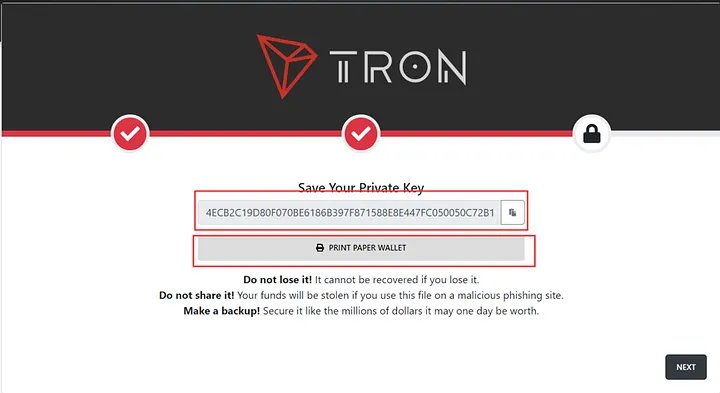
- A safe deposit TRX process means choosing a reputable wallet or exchange, verifying the address, and enabling 2FA.
- TRX and TRC20 tokens (such as USDT on TRON) share the same TRON address—losses happen when sending across different chains, not within TRON.
- Activating a new TRON account costs approximately 1 TRX (verify the current value on Tronscan or TRON docs).
- Network fees are usually very low, but congestion from high on-chain activity can raise them temporarily.
- This article is educational only and not financial advice—always do your own research.
What Does It Mean to Deposit TRX?
To deposit TRX is to transfer TRON’s native cryptocurrency from one location—another wallet or an exchange—into a destination wallet or exchange account for storage, trading, staking, or DeFi use. It works much like moving money between bank accounts, but with blockchain-specific details such as account activation and TRC20 tokens.
What Are TRX and the TRON Blockchain?
TRON, launched in 2017, is a high-throughput blockchain built for decentralized apps (dApps) and low-cost transfers. TRX is its native asset, used for payments, staking, and smart-contract fees. TRON has reported very high cumulative transaction counts (figures vary by year; verify against a primary source such as Tronscan or the TRON DAO), reflecting steady ecosystem activity into 2026.
TRC20 vs. TRC10: What You Need to Know
TRON supports two token standards. TRC20 tokens—including the widely used USDT on TRON—run on smart contracts and consume network “energy.” TRC10 tokens are simpler and less common. Importantly, TRX and TRC20 tokens share the same TRON address format, so sending TRC20 USDT to a valid TRON address is fine. The genuine loss risk is cross-chain: sending TRON-based USDT to an Ethereum or BSC address.
How Do You Choose a Wallet to Deposit TRX?
Picking a wallet is a balance of security, convenience, and features. Hot wallets stay online and suit frequent transfers and dApp access; cold (hardware) wallets stay offline and suit long-term holding. Your trading habits and risk tolerance should drive the choice.
Top Wallets to Deposit TRX: Features and Trade-offs
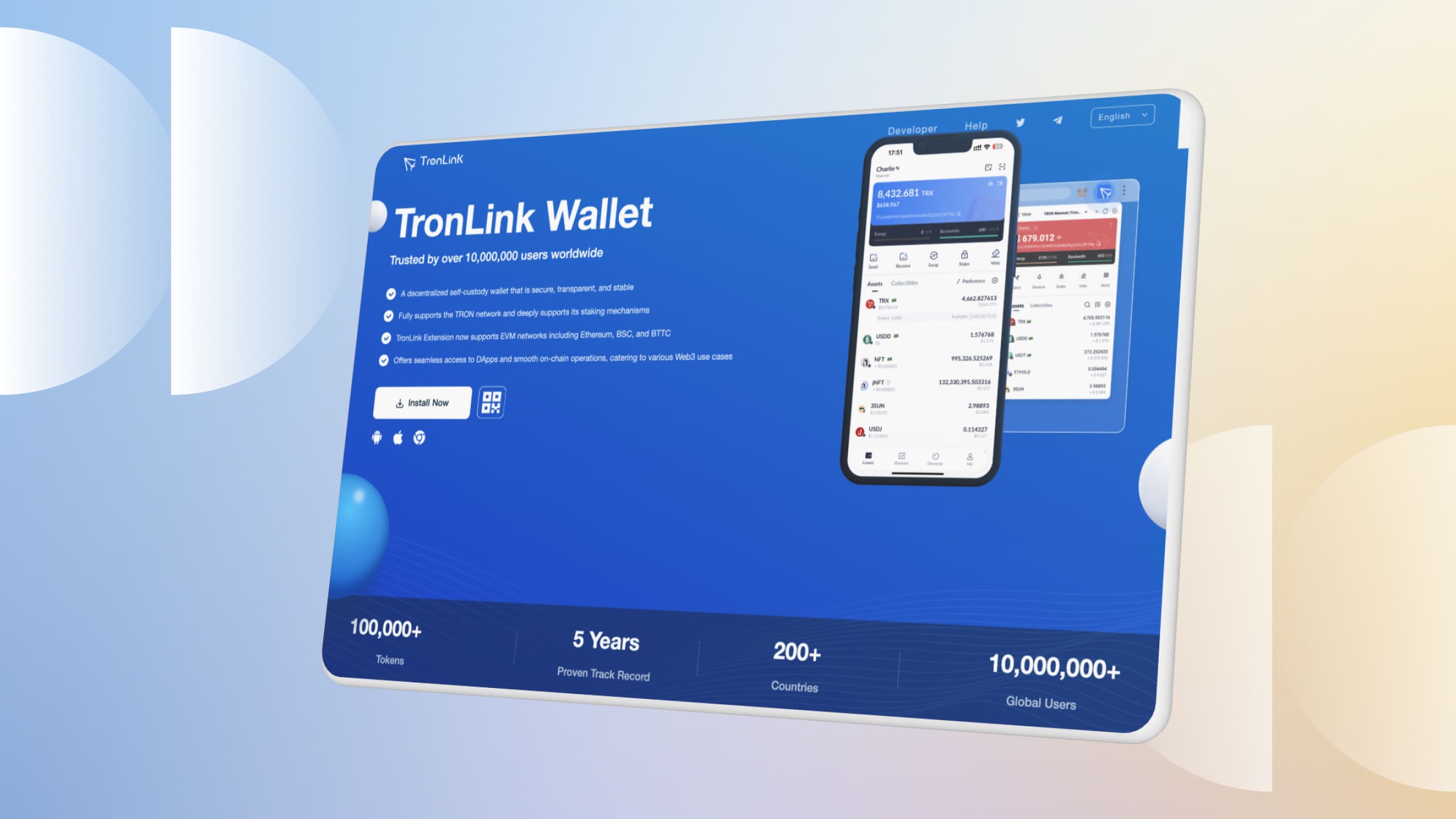
- TronLink: A TRON-native hot wallet with mobile and browser versions, ideal for dApps. Secure it with a strong password and device-level protections.
- Ledger Nano X: A hardware (cold) wallet that keeps keys offline and supports many assets—well suited to long-term holders, though the device has a one-time cost.
- Trust Wallet: Multi-asset hot wallet supporting TRX and TRC20 tokens, with a built-in dApp browser.
- Exodus: A user-friendly wallet with a built-in swap feature; convenient for beginners.
- Guarda: A non-custodial, cross-platform wallet with TRX staking; keys remain on your device.
Note: “No-KYC” wallets offer privacy but come with trade-offs—self-custody means you alone are responsible for recovery, and there is no identity-based support if keys are lost. Always back up your recovery phrase offline.
Wallet comparison:
| Wallet | Type | Platforms | Network Fee | dApp Support |
| TronLink | Hot | Mobile, Browser | Network only | Yes |
| Ledger Nano X | Cold | Desktop, Mobile | Network only | Via Tronscan |
| Trust Wallet | Hot | Mobile | Network only | Yes |
| Exodus | Hot | Desktop, Mobile | Network only | Limited |
| Guarda | Hot (non-custodial) | All platforms | Network only | Yes |
How to Set Up a Wallet to Deposit TRX
Using TronLink as an example:
- Download only from the official site (tronlink.org) or an official app store.
- Create an account with a strong password and write the recovery phrase on paper—never store it online.
- Find your TRX address in the “Receive” tab (it starts with “T”).
- Send TRX from another wallet or exchange to that address.
- Activate the account with approximately 1 TRX before receiving TRC20 tokens (verify the current activation cost on Tronscan).
Which Exchanges Are Best to Deposit TRX?
Exchanges are convenient for active traders who want to deposit TRX, convert it to USDT, or move funds quickly. They differ in fees and confirmation requirements, so compare each platform’s own published terms before depositing.
Top Exchanges and What to Check
- Binance: Broad payment support and typically fast TRX confirmations. Check Binance’s deposit page for current confirmation counts and any fees.
- Kraken: Known for security and low network costs. Verify Kraken’s current TRX confirmation requirement in its support docs.
- YouHodler: Promotes deposit bonuses and yield products. Treat bonuses cautiously—they often involve lock-ups, withdrawal conditions, and counterparty/custodial risk. Read the terms first.
- Uphold: Accepts deposits from external wallets, useful for moving TRX from a self-custody wallet.
Exact fee and confirmation figures change over time. The values below are illustrative—always confirm against each exchange’s own documentation before you deposit TRX.
Exchange comparison (illustrative; verify per exchange docs):
| Exchange | Deposit Fee | Typical Speed | Notable Feature |
| Binance | Usually free* | ~1–2 min* | Many payment options |
| Kraken | Usually free* | ~1–2 min* | Security focus |
| YouHodler | Usually free* | ~1–2 min* | Yield products (with risk) |
| Uphold | Usually free* | ~2 min* | External-wallet deposits |
*Verify current values on each exchange’s official deposit/fee page.
Step-by-Step: How to Deposit TRX on an Exchange
Binance:
- Log in and go to “Wallet” > “Fiat and Spot.”
- Select “Deposit” and choose TRX.
- Copy the TRX deposit address (confirm the network is TRON/TRC20).
- Send TRX from your wallet (e.g., TronLink) to that address.
- Wait for the required confirmations to clear.
Kraken:
- Go to “Funding” > “Deposit” and select TRX.
- Generate a TRX deposit address.
- Transfer TRX from your wallet to that address.
- Wait for confirmations as listed in Kraken’s docs.
How Do You Avoid Mistakes When You Deposit TRX?
Most deposit problems come from address or network errors. A few habits prevent nearly all of them.
Common Deposit Mistakes and Fixes
- Cross-chain mistakes: TRC20 USDT and TRX share the same TRON address, but sending TRON USDT to a non-TRON (e.g., Ethereum/BSC) address can lose funds. Fix: Always confirm the destination network matches TRON, and contact support immediately if you err.
- Higher fees or delays: Network congestion can slow confirmations or raise costs. Fix: Check live network status on Tronscan and time deposits accordingly.
- Unsupported wallet: A non-TRON wallet cannot hold TRX. Fix: Confirm the wallet officially supports TRON before sending.
How Do You Activate a TRON Account to Deposit TRX?
A new TRON account must be activated before it can hold TRC20 tokens, which requires a small deposit of approximately 1 TRX (verify the current value on TRON developer docs or Tronscan). Until activation, some deposits may not appear. Fix: Send the required TRX from another wallet or exchange to trigger activation, then retry your token deposit.
Dealing with TRC20 Energy Costs
TRC20 transfers consume “energy,” which can mean higher costs than a plain TRX transfer. Fix: Staking TRX can provide energy and bandwidth, or you can use a fee-reduction service. Beyond staking, platforms like TronSave and other resource providers let users rent energy—compare options and costs before committing.
What About Fees, Confirmations, and Security?
TRX transfers are generally fast and inexpensive, but fees and security still deserve attention.
Security Checklist Before You Deposit TRX
- Enable 2FA: Use an authenticator app for exchange accounts.
- Store keys offline: Write recovery phrases on paper and keep them in a safe place.
- Avoid public Wi-Fi: Use a trusted network when moving funds.
- Verify addresses: Double-check the first and last characters of any deposit address.
- Send a test amount: For large transfers, send a small amount first to confirm the route.
FAQ: Frequently Asked Questions
- How long does it take to deposit TRX? Usually a few minutes once the required confirmations clear; exact times depend on the platform and network conditions.
- What is the minimum to activate a TRON account? Approximately 1 TRX (verify the current value on Tronscan or TRON docs).
- Can I deposit TRC20 tokens to a TRX address? Yes—TRX and TRC20 tokens share the same TRON address. Only cross-chain mistakes risk loss.
- Which platform has the lowest deposit fees? Major exchanges and the TRON network itself charge very little, but check each platform’s current fee page.
- How do I recover a failed deposit? Verify the address and network, confirm the account is activated, and contact the platform’s support with your transaction hash.
- Is depositing TRX risky? The transfer itself is routine, but crypto is volatile and irreversible—follow the security checklist and do your own research.
Conclusion
Learning to deposit TRX safely comes down to a few fundamentals: choose a reputable wallet or exchange, verify the address and network, activate your TRON account with about 1 TRX, and protect your keys. Whether you prefer self-custody with TronLink or Ledger, an exchange like Binance or Kraken, or a resource service for energy, compare your options against primary sources and your own needs before committing funds.
⚠️ Not financial advice. This article is for educational and informational purposes only and reflects the author’s opinion at the time of writing. It is not investment, financial, legal, or tax advice. Cryptocurrency is highly volatile and you can lose your entire principal; prices, APYs, and on-chain fees change constantly and may be out of date. Always do your own research (DYOR) and consult a licensed financial advisor before buying, selling, staking, or lending any digital asset.
Disclosure: This is the official TronSave blog. TronSave sells TRON energy/resource (fee-reduction) services and has a commercial interest in the products and topics covered here.



