
When you unstake TRX on TRON, the network makes you wait 14 days before the coins are withdrawable. To early unstake TRX, you can use TronSave’s Early Unstake service instead: it unstakes on your behalf and pays the claimable TRX to your receiver address right away, for a tier fee of 7–10%. Here is exactly how the flow works, what it costs, and what to check before you commit.
Why is there a 14-day wait at all?
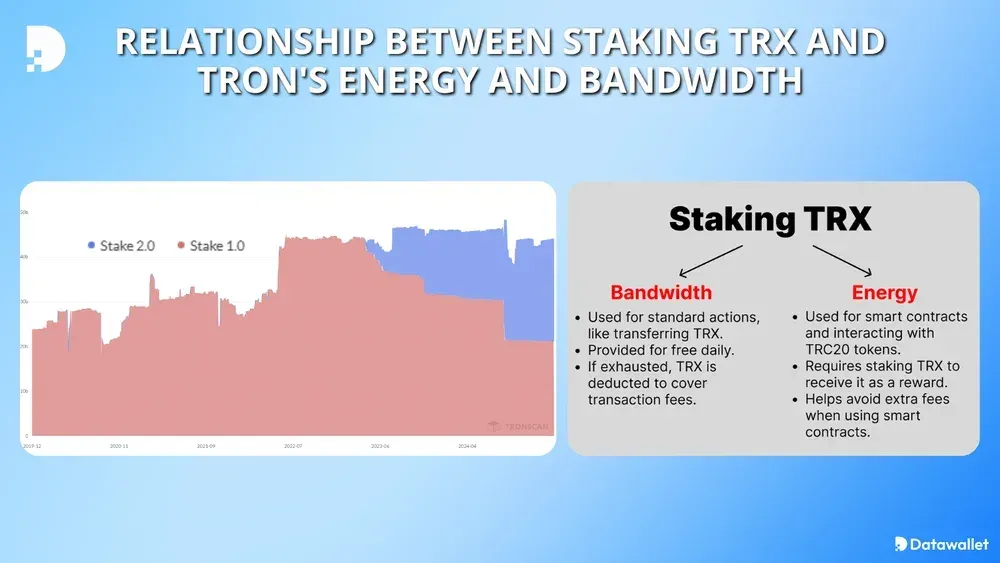
Under TRON’s Stake 2.0 model, staked TRX gives you energy or bandwidth, but unstaking starts a fixed 14-day unlock period before you can withdraw the funds (see the official TRON staking documentation). That design protects the network, but it’s painful when you need liquidity now — which is the single problem Early Unstake exists to solve. If you’re new to staking mechanics, start with our primer on what staking TRX actually provides.
What does it mean to early unstake TRX?
Early Unstake is a service on tronsave.io/unstake: you hand TronSave control of the staking address, and TronSave pays you the claimable value of the position immediately instead of after 14 days. TronSave then performs the on-chain unstake itself and absorbs the wait.
Because the handover happens through an on-chain AccountPermissionUpdate (Owner + Active permission), this is a bigger commitment than a normal rental or swap — the transfer of control is irreversible once broadcast. The flow is deliberately step-gated, with a human operator verifying every request before anything binding happens.
How much do you get back?
The claimable amount is calculated as: total staked TRX, minus a tier fee, minus 0.6 TRX per active delegate-to-other order, minus a small flat network fee (shown in the in-app estimate before you commit). The tier fee depends on position size:
| Staked position | Tier fee |
|---|---|
| 1,000 – 20,000 TRX | 10% |
| 20,000 – 30,000 TRX | 9% |
| 30,000 – 40,000 TRX | 8% |
| 40,000 TRX and above | 7% |
Worked example: a 25,000 TRX position falls in the 9% tier, so the tier fee is 2,250 TRX and you’d receive roughly 22,750 TRX minus the per-delegation and network fees. The Calculate step shows the exact live figure for your address — nothing is charged until you complete the later steps. Tiers and minimums are the values shown in the app as of 2026 and can be adjusted by the platform.
Two exclusions to know about: TRX already sitting in “To Be Withdrawn” and any token balances on the address are not counted in the estimate. Withdraw or move them first if you want them.
How do you early unstake TRX? The 7-step flow
- Terms. Connect your wallet at tronsave.io/unstake/early-unstake, verify ownership with a free signature (no gas), then read and accept the service terms.
- Calculate. The app reads your staked position and shows the live claimable estimate — total staked, tier fee, per-delegation deductions, network fee. You can stop here at no cost.
- Register. Enter the receiver address that will be paid. Double-check it: this is where your TRX goes.
- Verify. A TronSave operator manually reviews the request — usually well within 24 hours. The Telegram bot can push you a notification the moment it clears.
- Balance. Clear remaining holdings from the staking address (pending withdrawals, tokens), keeping at least 105 TRX for the on-chain permission fee.
- Permission. Broadcast the AccountPermissionUpdate granting TronSave Owner + Active permission. This step is irreversible — you can cancel the request any time before it, but not after.
- Done. TronSave pays the claimable TRX to your receiver address and takes over the position.
What should you check before committing?
- Minimum size: at least 1,000 TRX staked; smaller positions can’t be processed.
- Keep 105 TRX on the address to cover the AccountPermissionUpdate network fee in the Permission step.
- Move tokens and pending withdrawals off first — they’re excluded from the payout and the address stops being yours after the permission step.
- Verify the receiver address character by character; payment goes there and nowhere else.
- Understand the irreversibility: after you broadcast the permission update, control of the staking address transfers to TronSave permanently. If you’re unsure, stop at the Calculate step.
Early Unstake vs the Unstake Market
The Unstake page has a second tab: the Unstake Market, where sellers list staked positions and buyers purchase them, settling on the normal 14-day TRON unlock. If you’d rather name your own price and wait for a buyer — potentially at a lower effective cost than the tier fee — the market is the alternative path; Early Unstake is the instant one. Either way, if your goal was cheap resources rather than liquidity, compare first whether keeping the stake and earning staking rewards serves you better.
FAQ
How fast do I get my TRX?
Payment is immediate once the flow completes. The gating step is the manual verification, which typically clears well inside 24 hours.
What is the minimum position?
1,000 TRX staked on mainnet, per the app in 2026. The tier fee applies to the full staked amount.
Can I cancel a request?
Yes — at any point before you broadcast the permission update. After that, control has transferred and the process completes.
Why does TronSave need Owner + Active permission?
It has to unstake, wait out the 14 days, and withdraw on your behalf. That requires full control of the staking address, which is why the payout happens up front.
Are my tokens on that address included?
No. Token balances and TRX already pending withdrawal are excluded from the estimate — move them before the Balance step.
Was Early Unstake always available?
It launched in late 2025 — see the original announcement — and is now a standing feature alongside the Unstake Market.
Need your staked TRX today? Run the free estimate at tronsave.io/unstake — you see the exact payout before committing to anything.
This article describes a service operated by TronSave, the publisher of this blog. Early Unstake involves permanently transferring control of a staking address; read each step carefully and never proceed with an address you aren’t certain about. This is not financial advice.



