
Wondering how to buy TRON on Trust Wallet? You can purchase TRX inside Trust Wallet in roughly three minutes: open the app, tap “Buy” or “Swap,” choose TRON (TRX), enter an amount, pay by card or stablecoin, and confirm. This 2026 guide walks through every step clearly.
Last updated: June 2026.
Key Takeaways
- You can buy TRX on Trust Wallet via the built-in “Buy” (card) or “Swap” (from another token) features, usually in a few minutes.
- Card purchases through providers like MoonPay or Alchemy Pay may require KYC; swapping existing USDT (TRC-20) to TRX can avoid KYC for small amounts.
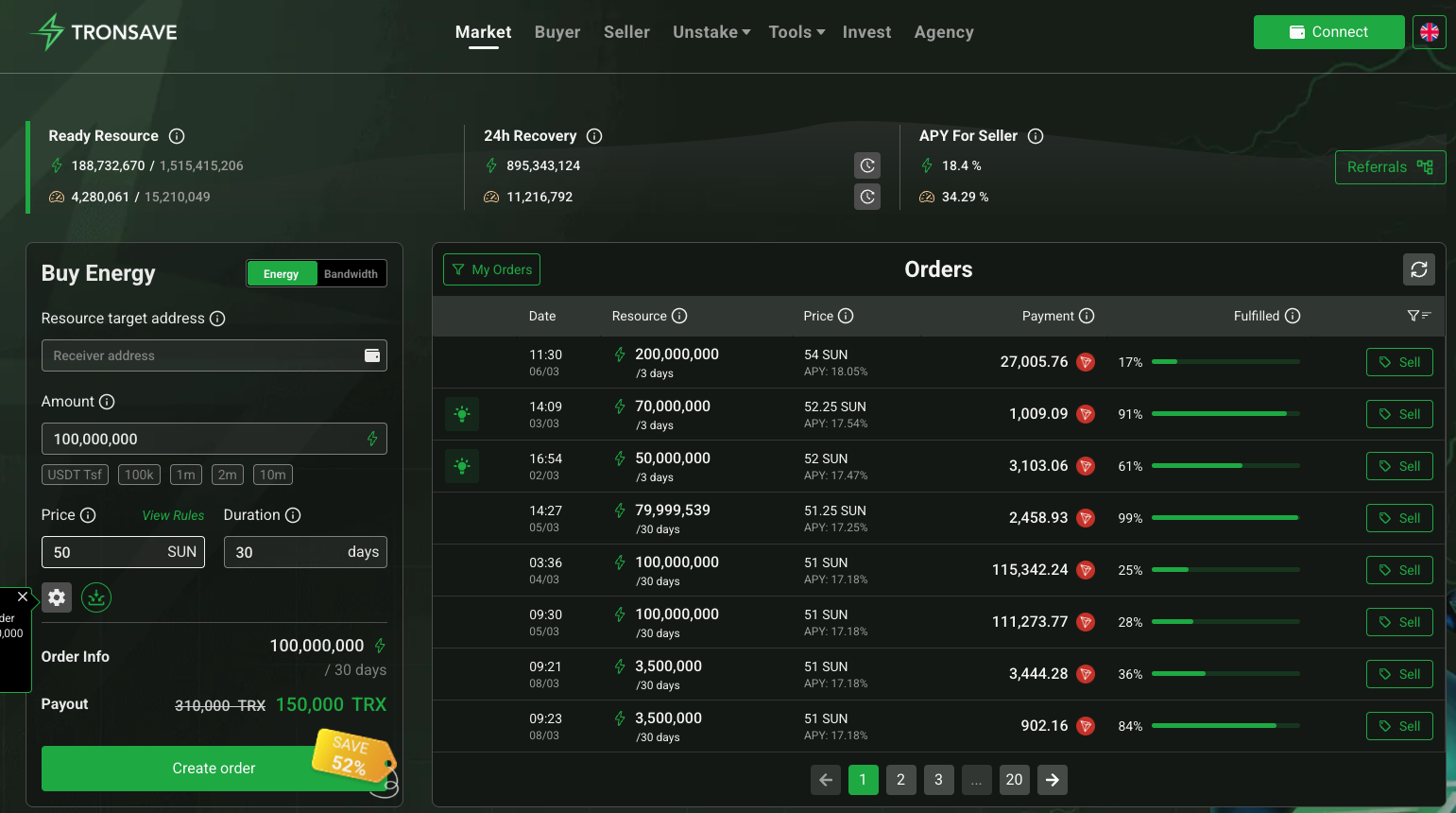
- Keep around 30 TRX on hand for network resources, or reduce USDT transfer costs by staking TRX for energy or renting energy from platforms such as TronSave.
- Trust Wallet is non-custodial: you control your recovery phrase, so back it up offline and never share it.
- Crypto is volatile and prices and fees change constantly. This is general information, not financial advice.
What Is TRON and Why Use Trust Wallet?
TRON is a Layer 1 blockchain launched in 2017, widely used for low-cost stablecoin transfers. It hosts a large ecosystem of decentralized apps such as SunSwap (DeFi) and WINk (gaming). Its native token, TRX, pays for smart-contract execution, staking, and governance. TRON is one of the most active networks for TRC-20 USDT settlement; for current market cap and supply figures, check a primary source like CoinMarketCap.
Trust Wallet is a popular non-custodial wallet that supports TRON alongside many other chains. Because it is non-custodial, your keys stay on your device rather than with an exchange. Built-in Web3 browsing lets you swap tokens or connect to dApps directly. You can learn more on the official Trust Wallet blog.
How to Buy TRON on Trust Wallet Step by Step
Learning how to buy TRON on Trust Wallet comes down to three approaches: a direct card purchase, an in-app swap from another token, or transferring TRX in from an exchange. Below is the step-by-step flow.
Step 1: Set Up Trust Wallet
- Download Trust Wallet for iOS, Android, or as a browser extension, then create a new wallet.
- Write down your 12-word recovery phrase offline and store it securely. Anyone with this phrase controls your funds.
- TRX appears by default; if not, tap “Manage” or the token list and enable TRON (TRX).
Step 2: Buy TRX Directly With a Card
- Open Trust Wallet and tap “Buy” on the home screen.
- Search “TRX” or “TRON,” select it, and enter your amount (minimums vary by provider, often around $30).
- Choose a payment method: credit/debit card, Google Pay, or Apple Pay, routed through a provider such as MoonPay or Alchemy Pay.
- Complete identity verification (KYC) if the provider prompts you. This typically takes 5-10 minutes.
- Confirm the order. TRX usually arrives in your wallet within minutes.
Step 3: Buy TRX by Swapping USDT (Lower-KYC Option)
- If you already hold USDT (TRC-20), use the “Swap” tab or a connected aggregator to exchange USDT for TRX.
- Select USDT as the source and TRX as the destination, enter the amount, and confirm. Small swaps often need no extra verification.
- Keep roughly 30 TRX spare so you have resources to move USDT or other tokens afterward.
How Do You Store and Secure Your TRX Safely?
Once you own TRX, security matters more than speed. Trust Wallet gives you the tools, but the habits are up to you.
- Stay non-custodial: you control your keys, so a wallet breach usually starts with a leaked recovery phrase, not the app itself.
- Use the security scanner: Trust Wallet can flag risky dApps and suspicious links before you approve them.
- Enable biometrics and a passcode: add device-level protection in the app settings.
- Never share your recovery phrase: scam sites mimic the real trustwallet.com domain. Always verify the URL.
- For larger holdings: consider moving TRX to a hardware wallet such as Ledger for cold storage.
- Test first: send a small TRX transfer before moving a large balance.
How Can You Reduce TRC-20 Fees on TRON?
Sending USDT on TRON consumes energy. If your wallet has no energy, the network burns TRX to cover the cost, which can add up quickly. A single USDT transfer needs roughly 65,000 energy units (verify current values against a primary source). TRON’s resource model is explained in our TRON energy and bandwidth calculator guide.
You have three main ways to handle these costs. Staking suits frequent users, renting energy suits occasional transfers, and burning TRX is the default fallback. TronSave is one platform that rents energy; staking directly in your wallet and other resource marketplaces are valid alternatives.
TRX fee options compared (illustrative figures; verify live rates):
| Method | Approx. cost | Speed | Best for |
| Stake TRX for energy | Locks TRX (recoverable) | Unlock takes ~14 days | Frequent senders |
| Rent energy (e.g. TronSave) | A few TRX per transfer | Near-instant | One-off transfers |
| Burn TRX (no energy) | ~30 TRX per transfer | Instant | Emergencies |
You can monitor real-time energy and fee data on TronScan. Always confirm current prices before deciding, since TRX value and energy rates fluctuate daily.
What Can You Do With Your TRX?
After buying, you can put TRX to work rather than leaving it idle:
- Stake for rewards: freezing TRX can earn staking rewards (rates vary and are not guaranteed) while also unlocking energy and bandwidth.
- Use dApps: explore DeFi swaps on SunSwap or gaming on WINk directly through Trust Wallet’s Web3 browser.
- Build on TRON: developers can deploy and test smart contracts using TRX for resource costs. See the TRON developer docs.
For a deeper look at earning, see our guide on TRON energy and bandwidth and weigh staking against simply holding.
Frequently Asked Questions
Can I buy TRON on Trust Wallet without KYC?
Direct card purchases through providers usually require identity verification. To reduce KYC, you can swap an existing token like USDT (TRC-20) for TRX inside the wallet; small swaps often need no extra checks. Verify each provider’s rules first.
How long does it take to buy TRX on Trust Wallet?
A card purchase typically completes within a few minutes once any verification is done. In-app swaps from another token usually settle in seconds, subject to network conditions.
Why do I need TRX for USDT transfers?
USDT on TRON is a TRC-20 token, and moving it consumes energy. Without staked or rented energy, the network burns TRX to cover the transfer, so keeping a small TRX balance avoids failed or costly transactions.
How do I check my TRX balance?
Open Trust Wallet and your TRX balance appears on the main asset list. Tap the token to view price history and recent transactions, or look up your address on TronScan.
Is Trust Wallet safe for storing TRON?
Trust Wallet is non-custodial, so safety depends largely on how you protect your recovery phrase. Back it up offline, enable biometrics, and consider a hardware wallet for large balances.
Should I use Trust Wallet or a dedicated TRON wallet?
Trust Wallet handles basic TRX buying, swapping, and staking well. For advanced TRON dApp interactions, a TRON-native wallet like TronLink may offer broader support. Many users keep both.
The Bottom Line
Knowing how to buy TRON on Trust Wallet gives you a fast, self-custodied entry into the TRON ecosystem. Buy with a card or swap from USDT, secure your recovery phrase, and keep a little TRX on hand for fees. To cut TRC-20 costs, compare staking, renting energy from platforms such as TronSave, and other resource marketplaces, then verify live rates before you commit. Crypto is volatile, so always do your own research.
⚠️ Not financial advice. This article is for educational and informational purposes only and reflects the author’s opinion at the time of writing. It is not investment, financial, legal, or tax advice. Cryptocurrency is highly volatile and you can lose your entire principal; prices, APYs, and on-chain fees change constantly and may be out of date. Always do your own research (DYOR) and consult a licensed financial advisor before buying, selling, staking, or lending any digital asset.
Disclosure: This is the official TronSave blog. TronSave sells TRON energy/resource (fee-reduction) services and has a commercial interest in the products and topics covered here.



