Coinbase Wallet TRC-20 USDT support does not exist — here is what to do instead. As of 2026, Coinbase Wallet does not natively support the TRON network, so it cannot send, receive, or hold TRC-20 USDT directly. To move USDT on Tron you need a TRON-compatible wallet such as TronLink and a small amount of TRX for fees.
Key Takeaways
- No native Coinbase Wallet TRC-20 USDT support: Coinbase Wallet does not connect to the TRON blockchain, so TRC-20 USDT cannot be stored or transferred there.
- Use a TRON wallet instead: TronLink or another Tron-compatible wallet handles TRC-20 USDT; you will need TRX (or rented energy) to pay fees.
- Coinbase Wallet does support USDC on Base, including free in-app conversions — a separate network from TRON.
- Verify before sending: sending TRC-20 USDT to a non-TRON address can permanently lose your funds.
- Always confirm current support against Coinbase’s official support pages before relying on any network claim.
What is the real TRC-20 USDT support situation in Coinbase Wallet in 2026?
Many users search for Coinbase Wallet TRC-20 USDT support expecting to deposit Tron-based USDT into the app. In reality, Coinbase Wallet’s self-custody product is built around Ethereum, Base, and several EVM and non-EVM chains — but not the TRON network. Because TRC-20 is a TRON token standard, Coinbase Wallet cannot generate a TRON address or process TRC-20 USDT.
This is a common point of confusion because Coinbase the exchange and Coinbase Wallet are different products with different supported assets. If you see “USDT” inside Coinbase Wallet, it is typically USDT on an EVM chain, not TRC-20 on Tron. Always check the network label before depositing.
Why does the network matter for USDT?
USDT (Tether) exists on multiple blockchains — TRON (TRC-20), Ethereum (ERC-20), Base, and others. The tokens are not interchangeable across networks at the wallet level. Sending TRC-20 USDT to an address built for another network usually means the funds are unrecoverable, since the receiving wallet has no key for that chain.
How do you actually send and receive TRC-20 USDT?
Because Coinbase Wallet does not offer TRC-20 USDT support, you handle Tron-based USDT in a dedicated TRON wallet. The setup is straightforward and takes only a few minutes.
Set up a TRON-compatible wallet
- Install a TRON wallet such as TronLink (browser extension or mobile app) from its official source, then create or import a wallet using your seed phrase.
- Secure your seed phrase offline. Never screenshot it, store it digitally, or share it. Enable any available app lock or 2FA.
- Add some TRX to cover fees. Tron charges fees in bandwidth and energy; without enough, transactions will fail.
Receiving and sending on the Tron network
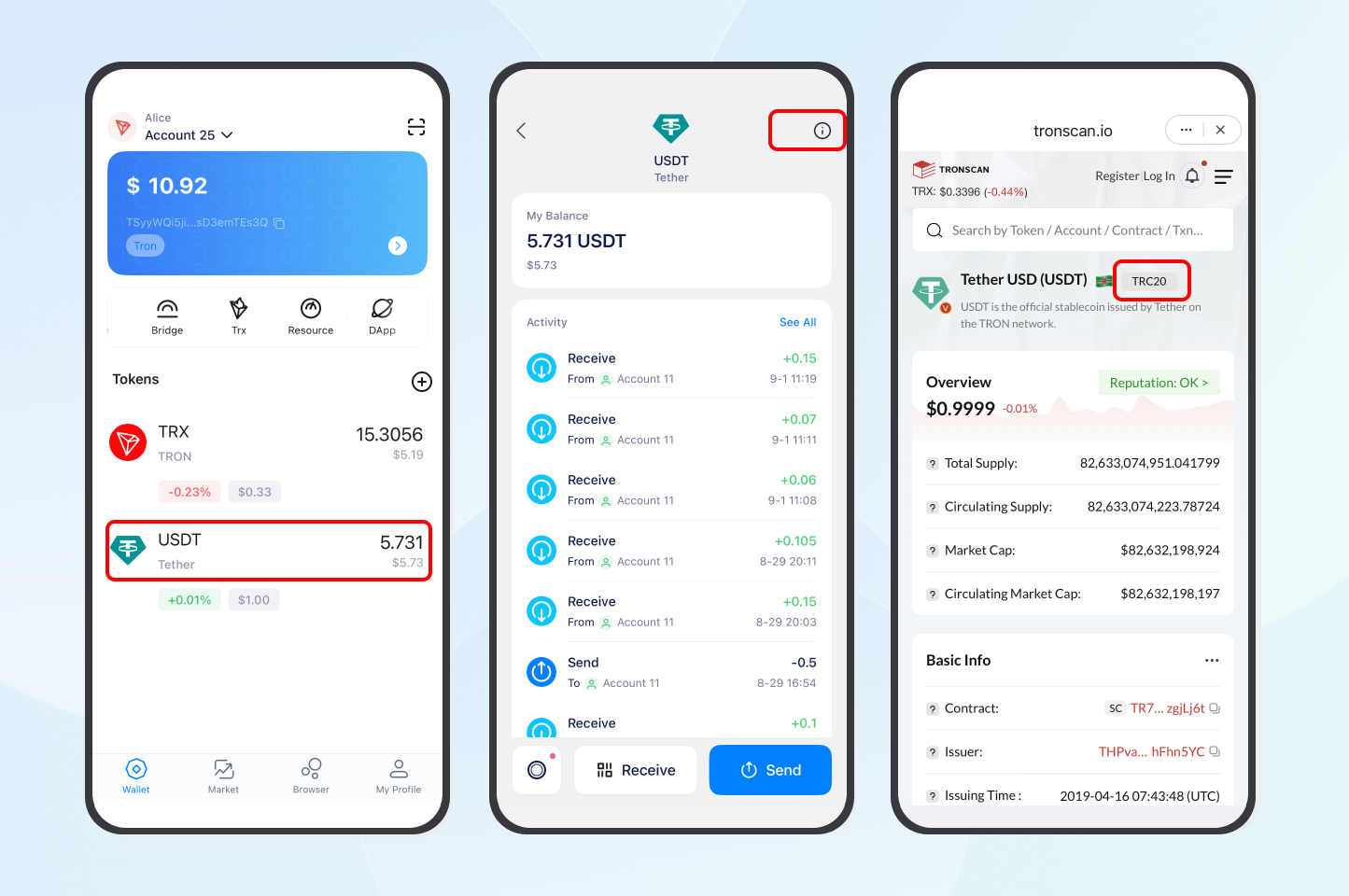
- Receive: open the Receive screen, select USDT on the TRON (TRC-20) network, and share the generated address. Remind the sender to use the Tron network specifically.
- Send: enter the recipient’s TRC-20 address, confirm the network is Tron, and review before signing. For large transfers, send a small test amount first — Tron transactions are fast but irreversible.
- Track it: paste the transaction hash into TronScan to confirm status. Most TRC-20 transfers confirm in roughly 10–30 seconds (varies with network conditions).
How can you reduce TRC-20 USDT transfer fees?
TRC-20 USDT transfers consume energy. If your wallet lacks staked TRX for energy, the network burns TRX to cover it, which can cost a few dollars per transfer (figures vary by network demand; verify against a primary source). There are two main ways to lower this cost.
- Stake (freeze) TRX to obtain energy and bandwidth directly through the TRON protocol — useful if you transact regularly and want self-custodied resources.
- Rent energy from a marketplace such as TronSave for short-term needs, which can be cheaper than burning TRX for occasional transfers. Compare both against your own usage before deciding.
Neither approach changes the fact that Coinbase Wallet itself cannot do TRC-20 USDT — these tips apply to whichever TRON wallet you use. For a deeper explanation of how Tron fees work, see our guide on reducing TRON gas fees and our overview of what TRON energy is.
Illustrative fee comparison
The table below is illustrative only; actual fees depend on live network conditions and your staked resources. Confirm current rates on TronScan before sending.
| Action | Network | Fee without energy (USD) | Fee with rented/staked energy (USD) | Typical time |
| Send TRC-20 USDT (TronLink) | Tron | ~4–9 (illustrative) | ~1–3 (illustrative) | 10–30 sec |
| Receive TRC-20 USDT | Tron | 0 (with enough energy) | 0 | 10–30 sec |
| Convert USDC in Coinbase Wallet | Base | Free in-app | Free in-app | Near-instant |
How does Coinbase Wallet compare to TRON wallets?
Choosing the right wallet depends on which networks you actually use. Coinbase Wallet is strong for Ethereum and Base DeFi; TRON-native wallets are the right tool for TRC-20 USDT.
- Coinbase Wallet — Beginner-friendly, strong security, free USDC conversions on Base. No TRON / TRC-20 USDT support.
- TronLink — Purpose-built for Tron, full TRC-20 support, low fees with energy. Interface is less polished than Coinbase.
- Trust Wallet — Multi-chain including TRON and TRC-20, supports staking; default fees can be higher without resource management.
What are the risks when moving TRC-20 USDT?
- Wrong-network loss: sending TRC-20 USDT to a non-TRON address typically means permanent loss.
- Irreversibility: blockchain transfers cannot be reversed or refunded once confirmed.
- Insufficient fees: without TRX or energy, your transaction stalls or fails.
- Scams and address swaps: verify recipient addresses character by character; malware can alter copied addresses.
This article is educational and not financial advice. Figures are illustrative and change constantly — always verify against primary sources.
Frequently Asked Questions
Does Coinbase Wallet support TRC-20 USDT directly?
No. Coinbase Wallet does not natively support the TRON network, so it cannot send or receive TRC-20 USDT. Use a TRON-compatible wallet such as TronLink (you will need TRX for fees), or an exchange that supports TRON deposits and withdrawals.
Why do people think Coinbase Wallet has TRC-20 USDT support?
Confusion usually comes from mixing up Coinbase the exchange with Coinbase Wallet, and from seeing USDT on other networks (like Base) inside the wallet. None of those are TRC-20 on Tron.
What is the difference between TRC-20 and ERC-20 USDT?
TRC-20 runs on Tron and is generally faster and cheaper per transfer, while ERC-20 runs on Ethereum with higher gas costs but broad DeFi compatibility. They are different tokens on different networks.
How can I reduce TRC-20 USDT fees?
Stake TRX for energy through the TRON protocol, or rent energy from a marketplace such as TronSave for occasional transfers. Compare both to your usage. Check TronScan to avoid peak congestion.
How long do TRC-20 USDT transfers take?
Most confirm in roughly 10–30 seconds depending on network conditions — generally faster than Ethereum.
Can Coinbase Wallet convert USDT to USDC?
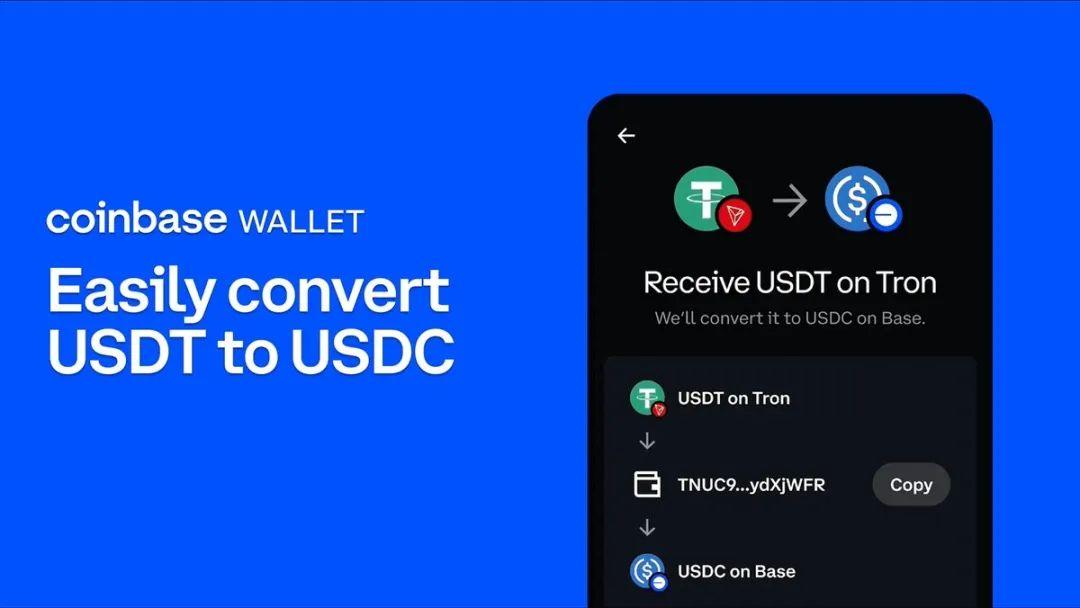
It can convert supported USDT/USDC on networks it actually supports (such as Base), often for free in-app. It cannot do this for TRC-20 USDT, because it does not support Tron.
⚠️ Not financial advice. This article is for educational and informational purposes only and reflects the author’s opinion at the time of writing. It is not investment, financial, legal, or tax advice. Cryptocurrency is highly volatile and you can lose your entire principal; prices, APYs, and on-chain fees change constantly and may be out of date. Always do your own research (DYOR) and consult a licensed financial advisor before buying, selling, staking, or lending any digital asset.
Disclosure: This is the official TronSave blog. TronSave sells TRON energy/resource (fee-reduction) services and has a commercial interest in the products and topics covered here.