A tron energy and bandwidth calculator is a tool that estimates how much energy and bandwidth a TRON transaction will consume, and how much TRX you would burn if you lack those resources. Use one before sending USDT (TRC20) or interacting with smart contracts to avoid surprise fees and plan staking or rentals.
💡 Skip the math: once you know how much energy you need, rent it on the TronSave energy market for a fraction of burning TRX.
Key Takeaways
- Bandwidth covers basic transfers (TRX, TRC10); energy powers smart contracts like USDT (TRC20).
- Every TRON account gets 600 free bandwidth points daily; run out and the network burns TRX.
- A USDT transfer to an existing address needs roughly 64,285 energy; sending to a brand-new address can need 130,000+ energy.
- You can obtain energy three ways: stake (freeze) TRX, rent energy, or simply burn TRX per transaction.
- All figures below are approximate as of 2026 — verify live values against a primary source such as TronScan.
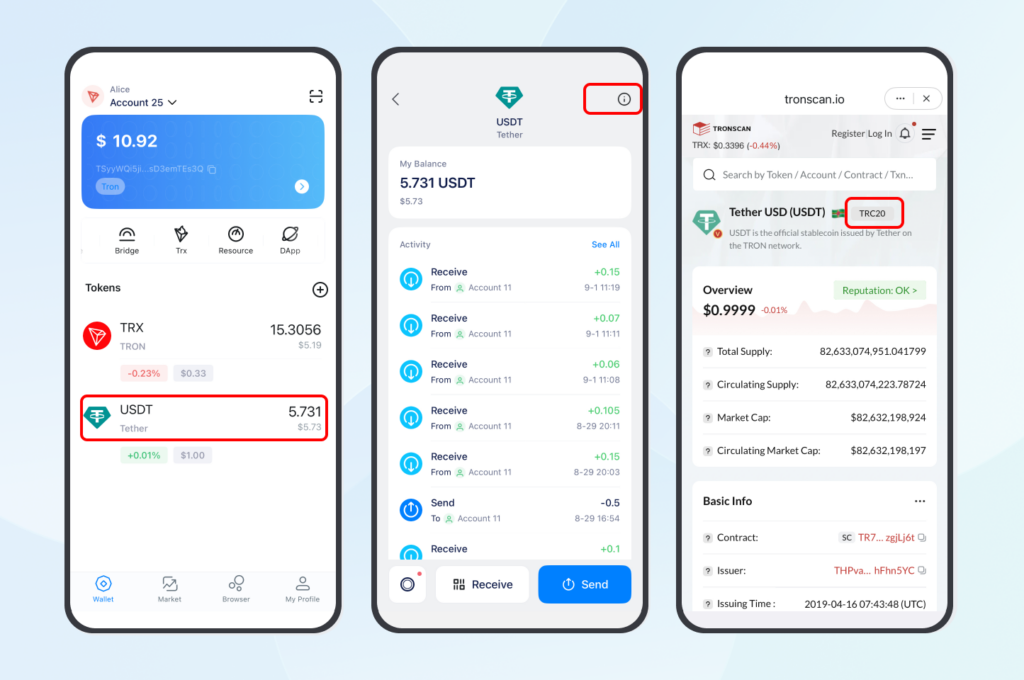
What Are Bandwidth and Energy on TRON?
Bandwidth and energy are the two resources that let you transact on TRON without paying TRX directly. Understanding them is the first step to using any tron energy and bandwidth calculator effectively.
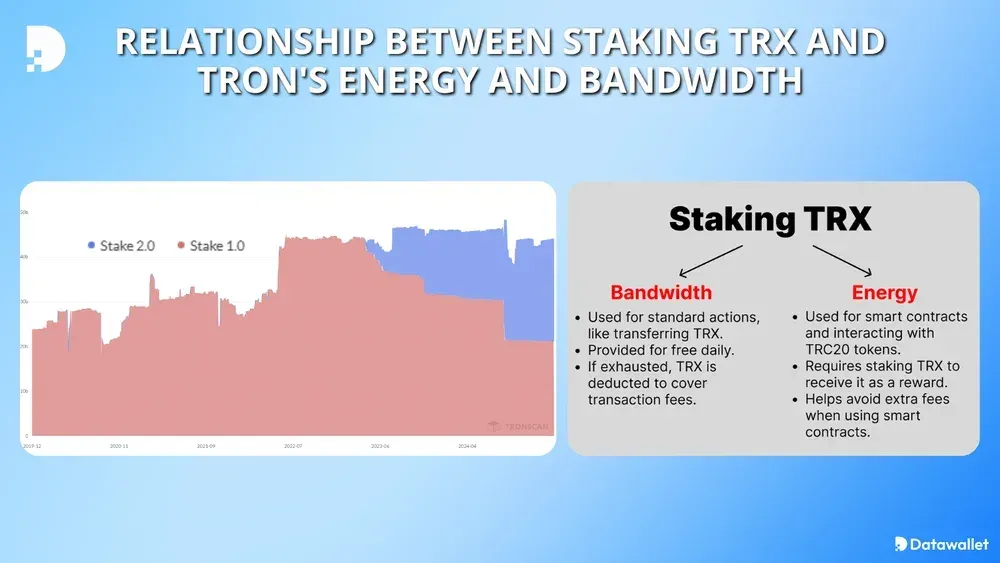
- Bandwidth — consumed by the byte size of basic transactions such as TRX or TRC10 transfers. One byte costs one bandwidth point.
- Energy — consumed by virtual-machine (VM) execution when a transaction runs smart-contract code, such as a USDT transfer via TRC20.
Each account receives 600 free bandwidth points every day, enough for a few small transfers. If you run out of free bandwidth or energy, TRON automatically burns TRX to cover the shortfall — which is why a single USDT send can unexpectedly cost 13 TRX or more.
Why do bandwidth and energy matter?
For active DeFi and NFT users, resource costs add up fast. Planning ahead with a calculator means transactions succeed the first time and you do not overpay. As DApps such as SunSwap stay popular, estimating energy in advance protects your margins on every trade.
How Does a Tron Energy and Bandwidth Calculator Work?
Bandwidth calculation
- Formula: Bandwidth = transaction size in bytes × 1.
- Example: A 269-byte TRX transfer uses 269 bandwidth. With no free bandwidth left, you burn about 0.269 TRX.
- Dev tip: Estimate the byte length before signing so you know whether you will dip into TRX.
Energy calculation
Energy is harder to predict because TRON uses a dynamic energy model. Energy is measured in energy units produced by VM/opcode execution — not in microseconds.
- Formula: Energy = base energy units from contract execution × (1 + energy_factor).
- Dynamic model: Heavily used contracts carry a higher energy_factor, raising cost. An energy_factor of 0.5 means 50% more energy than the base.
- Existing address: A USDT transfer to a wallet that already holds USDT needs roughly 64,285 energy.
- New address: A USDT transfer that creates a fresh recipient balance can need 130,000+ energy.
For the authoritative definition of the resource model, see the official TRON developer documentation.
How much TRX must you stake for energy?
Staking (freezing) TRX is like prepaying for gas. The amount you receive depends on the total TRX staked network-wide, so the figures below are approximate:
- Bandwidth: Bandwidth = (your staked TRX ÷ total staked TRX) × the daily bandwidth pool.
- Energy: Energy = (your staked TRX ÷ total staked TRX) × the daily energy pool.
- Existing-address USDT send (~64,285 energy): typically needs on the order of ~6,000 TRX staked for energy as of 2026 (verify against a primary source, since the ratio shifts with total network stake).
- New-address USDT send (130,000+ energy): requires roughly double that — on the order of ~12,000–13,000 TRX staked.
Note: APR and resource ratios fluctuate, and staked TRX is locked for a 14-day unstaking period. This is educational information, not financial advice.
How Do Built-in Wallet Calculators Work?
You no longer have to guess TRON gas fees. Most wallets include a built-in estimator that shows resource use right before you confirm a transfer.
TronLink, the official TRON wallet, displays a fee breakdown before you hit “send,” on both mobile and the Chrome extension.
- Install TronLink from tronlink.org and connect your wallet.
- Start a transaction, such as a DeFi swap or a USDT transfer.
- Before confirming, TronLink shows total consumption — for example “345 bandwidth, 64,895 energy, fee: 10.63 TRX” if you lack resources.
- From there you can stake TRX or rent energy to lower or eliminate the burn.
What Are the Best Ways to Optimize Resources?
Many users overpay simply because they never compare their options. Here is how the three main approaches stack up.
Compare staking, renting, and burning
| Method | Cost (approx.) | Pros | Cons |
| Staking TRX | Capital locked, no per-tx fee | Free daily resources, ~4–7% APR, voting power | 14-day unstaking lock |
| Renting energy | From ~$1.31 for 64,000 energy (verify live) | No lockup, pay only when needed | Small recurring cost |
| Burning TRX | ~13.63 TRX per USDT send | Instant, no setup | Most expensive over time |
Rental prices change with the market. For the current rate per 64,000 energy, check the live TRON energy and bandwidth guide and the rental platform’s pricing page directly rather than relying on a fixed quote.
Practical tips
- Stake if you transact daily and can lock capital — staking via TronLink or a similar wallet gives steady free resources.
- Rent through platforms such as TronSave or other energy marketplaces when you need a short burst without locking funds.
- Use free bandwidth — reserve your 600 daily points for simple TRX transfers and batch sends to stay under the limit.
- Cap costs by setting a fee_limit, and check a contract’s energy_factor before interacting with it.
How Can Developers Estimate Resources Programmatically?
For developers, accurate estimation keeps transactions from failing mid-execution. TRON exposes APIs that return live resource data.
wallet/getaccountresource— check an account’s current bandwidth and energy balance.triggerconstantcontract— simulate a call to estimate the energy a contract will consume.getcontractinfo— read a contract’s current energy_factor under the dynamic model.
A simple custom calculator pulls network parameters from a node provider, applies the formulas above, and renders the result with TronWeb. Always validate your estimates against live values on TronScan before relying on them.
What Changed for TRON Resources in 2026?
As of mid-2026 (verify against a primary source), the on-chain energy unit price sits around 210 sun, and the 600 free daily bandwidth points remain the long-standing default. The dynamic energy model is still in effect, so frequently used contracts continue to cost more energy than the base estimate.
The clearest 2026 trend is behavioral: more short-term users now rent energy instead of staking, because renting avoids the 14-day lock while staking still suits high-frequency users. SunSwap and NFT traders, who often need 50,000–100,000 energy per interaction, drive much of that rental demand. Confirm current energy price and pool sizes on TronScan, as these parameters can change through governance.
Frequently Asked Questions
What is a tron energy and bandwidth calculator?
It is a tool that estimates the energy and bandwidth a TRON transaction will use, so you can see the potential TRX burn before sending and decide whether to stake or rent.
How much TRX should I stake to send USDT?
For an existing-address USDT transfer (~64,285 energy), expect to stake on the order of ~6,000 TRX as of 2026; a new-address transfer (130,000+ energy) needs roughly double. Ratios shift with total network stake, so verify before committing.
Why are USDT fees on TRON sometimes so high?
TRC20 transfers run smart-contract code and require energy — up to 130,000+ when the recipient address is new. Without enough energy, TRON burns TRX to cover it.
Are there reliable free calculators?
Yes. TronLink’s wallet has a built-in estimator, and the wallet fee preview in most TRON wallets shows energy and bandwidth before you confirm.
How long does it take to unstake TRX?
TRON applies a 14-day unstaking period after you unfreeze, during which the TRX cannot be withdrawn.
What is the resource difference between TRC10 and TRC20?
TRC10 transfers use bandwidth only, while TRC20 transfers run a smart contract and require both bandwidth and energy.
Conclusion
TRON’s bandwidth and energy do not have to drain your wallet. By using a tron energy and bandwidth calculator to estimate costs, then choosing between staking, renting, or paying per transaction, you can keep fees predictable in 2026. Whichever route you pick — staking TRX, renting from platforms like TronSave or other marketplaces, or budgeting your free bandwidth — verify current network parameters on TronScan before you transact.
⚠️ Not financial advice. This article is for educational and informational purposes only and reflects the author’s opinion at the time of writing. It is not investment, financial, legal, or tax advice. Cryptocurrency is highly volatile and you can lose your entire principal; prices, APYs, and on-chain fees change constantly and may be out of date. Always do your own research (DYOR) and consult a licensed financial advisor before buying, selling, staking, or lending any digital asset.
Disclosure: This is the official TronSave blog. TronSave sells TRON energy/resource (fee-reduction) services and has a commercial interest in the products and topics covered here.
Quick answer: see exactly how much energy a USDT (TRC-20) transfer needs (~65,000, or ~130,000 to a new wallet).