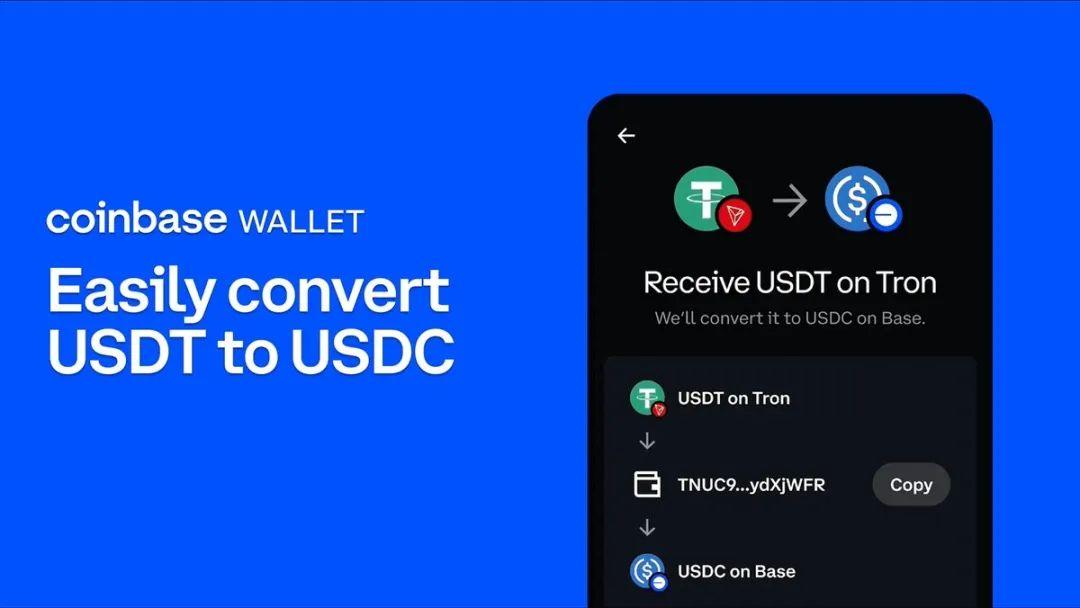
Coinbase Wallet officially added support for USDT on TRC-20 in mid-2025, allowing users to receive and send this stablecoin seamlessly on the Tron network. This feature also enables free automatic conversion to USDC on Base, unlocking easy DeFi opportunities without network compatibility headaches.
Current support for TRC-20 USDT in Coinbase Wallet
Coinbase Wallet TRC-20 USDT support brings major flexibility for users, especially those who frequently move stablecoins with low fees. In the past, sending USDT from Tron to other wallets often led to painful mistakes and lost funds. Now, Coinbase Wallet handles TRC-20 USDT smoothly — though you’ll still need a small amount of TRX to cover transaction fees and avoid stuck transfers like those common on Ethereum.
Beyond basic send/receive, the wallet integrates automatic conversion to USDC, helping protect against volatility while opening doors to DeFi protocols like Uniswap on Base. Compared to ERC-20, TRC-20 stands out with lightning-fast confirmations (just 10–30 seconds), making it perfect for busy traders. That said, if you need deep interaction with Tron dApps, dedicated wallets like TronLink remain the stronger choice.
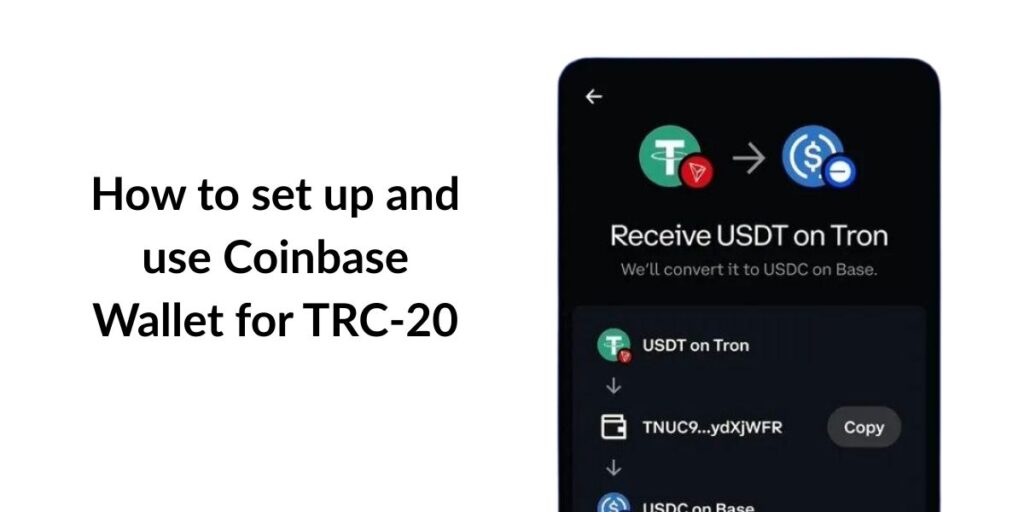
How to set up and use Coinbase Wallet for TRC-20
Setting up Coinbase Wallet to take full advantage of Coinbase Wallet TRC-20 USDT support is straightforward and takes only a few minutes — no advanced technical knowledge required. While the wallet prioritizes security and ease of use, pairing it with an energy rental service like Tronsave can dramatically cut fees on Tron, delivering real savings.
Download and install Coinbase Wallet
Start by downloading the app from the App Store or Google Play, or grab the Chrome extension for desktop. Create a new wallet or import an existing one using your 12-word seed phrase. Enable 2FA through Google Authenticator to protect your assets, and store your seed phrase offline in a safe place — never screenshot it or save it digitally.
Add TRON (TRX) to your wallet
Go to the “Receive” tab, select Tron, and generate your TRC-20 address. Share this address with senders, but always remind them to double-check they’re using the Tron network to prevent errors. For large transfers, test with a small amount first — Tron processes transactions quickly, but mistakes are irreversible.
Receiving and sending TRC-20 USDT
When receiving USDT, select the TRC-20 network in the asset list to display the correct address. Sending works the same way: enter the recipient address, choose Tron, and confirm. The whole process usually takes under a minute. If you run out of TRX for fees, the transaction will hang — this is where using Tronsave to rent energy can significantly reduce costs for TRC-20 USDT transfers.
Converting and optimizing USDT transactions on Coinbase Wallet
Converting TRC-20 USDT to other assets in Coinbase Wallet is not only free but also instant, thanks to seamless Base network integration. This section covers how to make the most of it — from basic transfers to fee optimization — so you can save both time and money.
Step-by-step TRC-20 USDT transfer process
Open the wallet, select USDT from your assets, and tap “Send” or “Receive.” Make sure to choose TRC-20 to avoid confusion with ERC-20. From your source wallet (e.g., Binance), enter the Coinbase address and send — track progress on TronScan. Once received, Coinbase can automatically convert to USDC on Base if desired, giving you instant access to DeFi without extra costs.
Fee optimization and network tips
TRC-20 fees typically range from $4–9 without energy, but using Tronsave brings them down to $1–3, saving up to 63%. Check network status on TronScan before sending, especially during peak hours. Compared to Ethereum’s ERC-20, TRC-20 is often 10× cheaper, making it ideal for budget-conscious users in Vietnam.
| Action | Network | Fee without energy (USD) | Fee with Tronsave (USD) | Time |
| Send TRC-20 USDT | Tron | 4.6–9.2 | 1.4–2.9 | 10–30 sec |
| Convert to USDC | Base | Free | Free | Instant |
| Receive USDT | Tron | 0 (with enough energy) | 0 | 10–30 sec |
Security best practices for transfers
Always verify the recipient address character by character to avoid scams. Enable 2FA and steer clear of public Wi-Fi when transacting. For large amounts, split transfers into smaller batches to minimize risk. Tron’s transparent blockchain lets you monitor everything in real time, giving you peace of mind.
Comparison with other TRC-20 compatible wallets
Comparing Coinbase Wallet to alternatives helps you pick the right tool for your needs. Coinbase shines with its user-friendly interface and Base integration, but for full Tron dApp access, Trust Wallet or TronLink may suit you better.
Strengths of Coinbase Wallet
Coinbase supports multiple networks, offers free conversions, and provides strong security with encrypted seed phrases. It’s great for beginners and includes real-time prices powered by CoinMarketCap.
How it stacks up against Trust Wallet and TronLink
Trust Wallet offers more flexibility for Tron dApps and staking, but base fees can be higher without optimization. TronLink is built specifically for Tron with excellent speed, though its interface feels less polished. Coinbase wins for users who value Base DeFi integration and simplicity.
- Trust Wallet — Full TRC-20 support + staking, but higher default fees
- TronLink — Optimized for Tron, low fees, limited multi-chain support
- Coinbase Wallet — Free USDC conversions, high security, beginner-friendly
Frequently Asked Questions (FAQ)
Does Coinbase Wallet support TRC-20 USDT directly?
Yes, since July 2025 you can receive and send TRC-20 USDT directly, though you’ll need some TRX for fees. Incoming transfers can auto-convert to USDC on Base at no extra cost.
What’s the difference between TRC-20 and ERC-20 USDT?
TRC-20 on Tron is faster and much cheaper (pennies per transfer), while ERC-20 on Ethereum costs more due to gas fees but offers broader DeFi compatibility.
How can I reduce TRC-20 fees on Coinbase Wallet?
Rent energy through Tronsave to slash fees by up to 84%. It’s especially useful for frequent transactions — check TronScan to avoid peak congestion.
How long do Tron transfers take on Coinbase Wallet?
Most confirm in 10–30 seconds, depending on network conditions — significantly faster than Ethereum.
Is Coinbase Wallet safe for TRX and USDT?
Yes — it offers robust protection with 2FA, encrypted seed phrases, and offline storage. Always verify addresses and never share your seed phrase.
Conclusion
Coinbase Wallet TRC-20 USDT support delivers real convenience — fast transfers, free conversions, and smooth stablecoin management. To get the lowest possible fees on every TRC-20 USDT transaction, give Tronsave a try — it can cut costs by up to 63%. Download Coinbase Wallet today, set up your TRC-20 address, and head over to Tronsave to experience serious fee savings. Don’t miss out — optimize your crypto flow right now!